Speakwrite:Voice-to-text

Speakwrite:Voice-to-text Summary
Speakwrite:Voice-to-text is a ad-supported, with in-app purchases iOS app in Productivity by 小玲 黄. Released in Aug 2023 (2 years ago). It has 9.00 ratings with a 3.67★ (average) average. Based on AppGoblin estimates, it reaches roughly 34 monthly active users and generates around $<10K monthly revenue (22% IAP / 78% ads). Store metadata: updated Feb 21, 2024.
Store info: Last updated on App Store on Feb 21, 2024 .
3.67★
Ratings: 9.00
Screenshots


App Description
This is a tool that turns spoken language into written text.
You can record your voice through the microphone or import audio/video files. Then, the app automatically converts the spoken content into readable text format. It's widely used in many areas, including meeting notes, virtual assistants, voice memos, education, healthcare, and legal fields. With this app, you can conveniently jot down important information, boost productivity, and easily search and retrieve text when needed.
Key Features:
"Real-time Transcription"
Transcribes audio in real-time, accurately and swiftly converting spoken content into text.
"Transcribe Audio/Video Files"
Imports external audio/video files, swiftly converting and extracting them into text form.
"Multi-language Support"
Supports recognition and transcription of multiple languages, allowing users to switch between languages seamlessly.
"Mark During Transcription"
You can mark and record important parts during transcription, and instantly play back the sections you're interested in to see the actual audio and text.
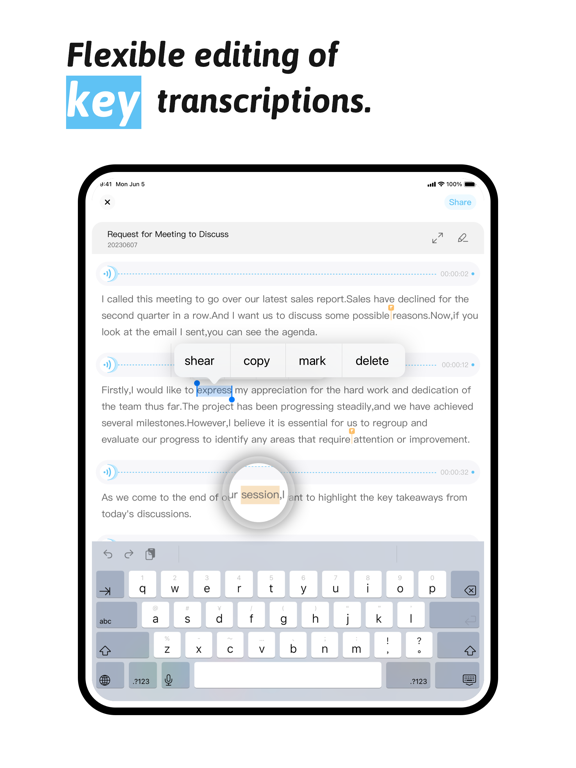
"Flexible Editing of Transcription Content"
You can copy, cut, delete, and mark transcription text content, achieving your desired output results.
"Supports Exporting Files"
Transcription results support exporting as txt, docx, pdf, audio, and other files, allowing users to share transcription results and meeting notes with others.
Subscription Service:
Payment: Deducted through the user's iTunes account, payment is made immediately after user confirmation of purchase, offering various subscription options for free selection.
Renewal: The Apple iTunes account will be charged within 24 hours before the expiration, and the subscription period will be extended by 1 subscription period after successful payment.
Canceling Subscription Renewal: To cancel renewal, please manually disable automatic renewal in Settings/Apple ID at least 24 hours before the current subscription expires.