Camo Studio – Stream & Record
Camo Studio – Stream & Record Summary
Camo Studio – Stream & Record is a mobile iOS app in Photo And Video by Reincubate. Released in Sep 2023 (2 years ago). It has 4.8K ratings with a 4.54★ (excellent) average. Based on AppGoblin estimates, it reaches roughly 5.4K monthly active users . Store metadata: updated Jun 8, 2026.
Recent activity: 27 new ratings this week View trends →
Store info: Last updated on App Store on Jun 8, 2026 .
4.54★
Ratings: 4.8K
Screenshots
App Description
Dive into streaming, or record your next video, in just a few taps – hone your scene, connect your camera, and start creating with ease – all directly from your iPad. Why not try the iPad version of the 2023 Apple Design Award finalist app today?
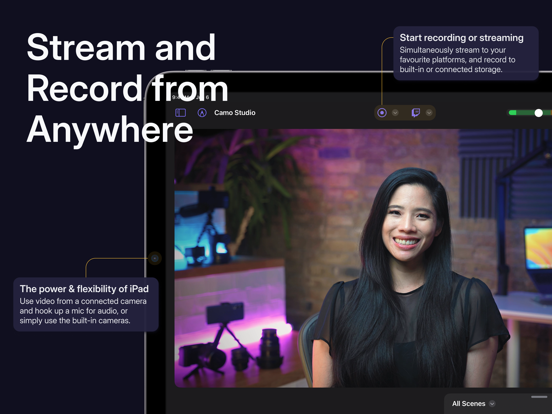
— STREAM & RECORD FROM ANYWHERE —
Connect a camera and mic to your iPad and start streaming on the move, and simultaneously record your video to built-in storage or a connected SD card for editing and uploading high-quality content later.
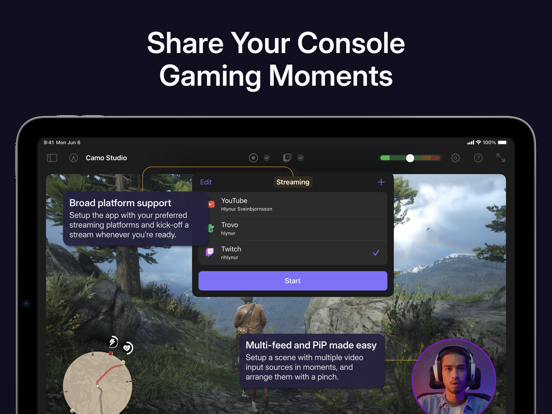
— SHARE YOUR CONSOLE GAMING MOMENTS —
Stream console games with a capture card to Twitch, YouTube, Trovo and more. Setup your scene with tactile controls that make multi-feed and PiP (picture-in-picture) simple to configure. Take your streams to another level with web overlays, and always stay in control with integrated stream controls.
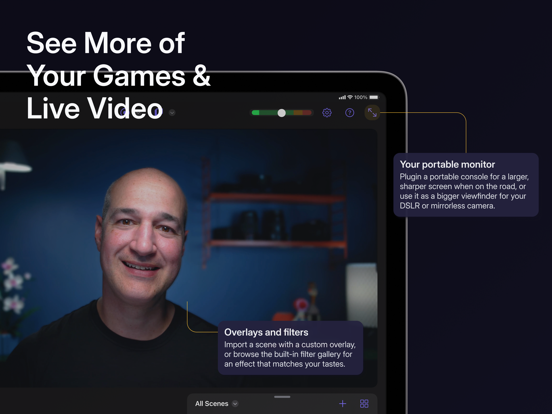
— SEE MORE OF YOUR GAMES & LIVE VIDEO —
Connect your iPad to your portable console, such as a Nintendo Switch, via a dongle or USB hub and use it as a bigger, sharper screen to heighten your gaming experience when you’re on the road. Or, if you’re looking to get a better viewfinder for your camera, plug it into your iPad and use it as a video monitor through Camo Studio.
— SWITCH UP YOUR SCENES —
Quickly switch between a collection of built-in or custom scenes with a tap to help engage your audience or show a different shot. Each scene can be configured individually with different cameras, video and audio sources, and output profiles.
— PRO STREAMS WITH WEB OVERLAYS —
Imbue your streams with your personal aesthetic, or a professional touch, with support for web overlays from StreamElements, Streams Labs, Uno Overlays and more. Import template or custom web overlays, with live content, alerts, embedded control panels, and a wide array of other widgets.
— A ONE-APP STREAM CONTROL CENTRE —
Stay in touch with your chat, trigger in-stream events, and check on your mods, all through Camo Studio’s stream panels. Add exactly the panels you need – each is custom to the streaming service you use, and gives you powerful controls for your livestreams.
— POWERFUL VIDEO ENHANCEMENTS & ADJUSTMENTS —
Camo Studio comes loaded with functionality that helps you stand out. Easily apply a subtle “Bokeh” effect to your background, or replace it or remove it entirely! Adjust the framing and orientation of each inpu