CAD Drawing Designer 3D

CAD Drawing Designer 3D Summary
CAD Drawing Designer 3D is a free, ad-supported, with in-app purchases iOS app in Art And Design by Sebastian Kemper. Released in Jul 2023 (3 years ago). It has 264 ratings with a 4.14★ (good) average. Based on AppGoblin estimates, it reaches roughly 1.1K monthly active users and generates around $<10K monthly revenue (44% IAP / 56% ads). Store last updated Jan 30, 2026
CAD Drawing Designer 3D SDKs Summary
App not yet scanned for SDKs.
4.14★
Ratings: 264
Screenshots


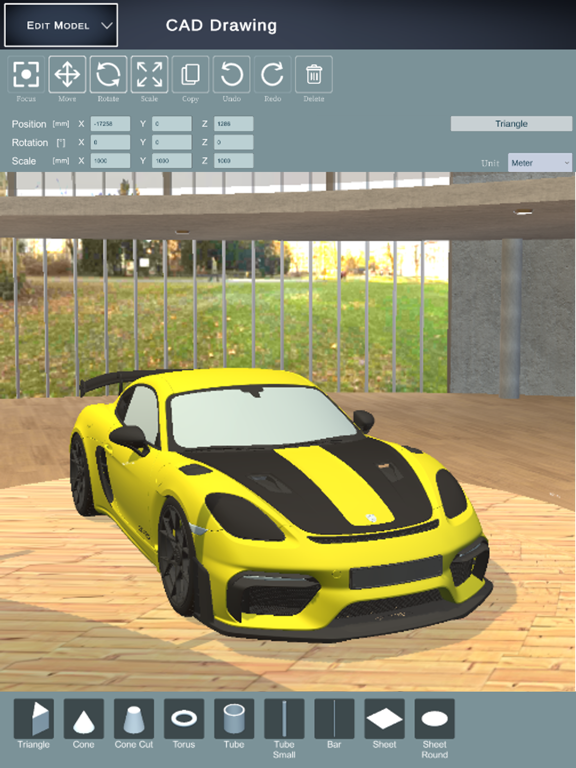
App Description
CAD Drawing Designer is a proven solution that will make your project planning and implementation easier.
CAD Drawing Designer offers you a comprehensive component library in the areas of timber construction, steel construction, concrete and stone.
Use comprehensive CAD commands to design, create drawings and dimension to create your project.
Use CAD Drawing Designer as drawing tool and benefit from the intuitive user interface to realize your project quickly and easily.
The main advantages:
• Use numerous 3D objects and simply drag and drop them into your drawing
• Choose between wood, metal, stone or concrete construction components
• Numerous materials serve you to design your project as realistically as possible
• With the integrated CAD import, you can import and use different 3D data (FBX, OBJ, GLTF2, STL, PLY, 3MF, DAE)
• The photo function allows you to create high-resolution images of your project
• Export a parts list of materials from your design
Features:
• 3D construction view
• 2D view including dimensions
• Create, edit and dimension 3D drawings
• Modification of materials
• Insertion of 3D objects via drag & drop
• Photo function
• Parts list creation
• Import of 3D CAD data
• Tools for drafting and geometry editing
• Annotation and dimensioning tools
Additional Information:
Website: www.cad-floor-plan.com
Terms of Use (EULA):
https://www.apple.com/legal/internet-services/itunes/dev/stdeula/