jAmp 8100

jAmp 8100 Summary
jAmp 8100 is a with in-app purchases iOS app in Music And Audio by Jan Maes. Released in Aug 2023 (2 years ago). It has 7.00 ratings with a 5.00★ (excellent) average. Based on AppGoblin estimates, it reaches roughly 21 monthly active users and generates around $<10K monthly revenue (100% IAP / 0% ads). Store metadata: updated Mar 8, 2024.
Store info: Last updated on App Store on Mar 8, 2024 .
5★
Ratings: 7.00
Screenshots

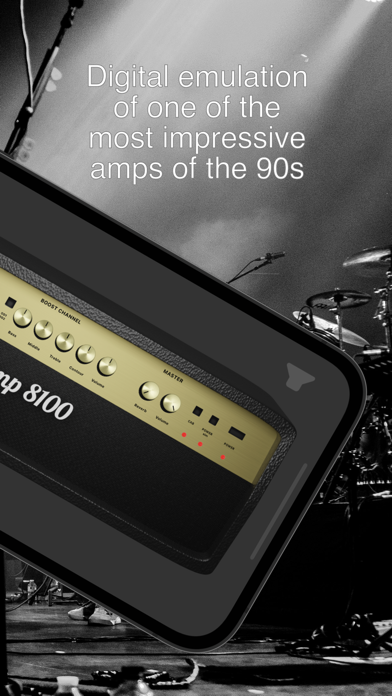


App Description
jAmp 8100 represents a digital emulation of the Marshall Valvestate 8100 amplifier, which stood out as one of the most impressive-sounding amplifiers of the 90s. Numerous metal bands showcased this amplifier in their albums, with particularly notable appearances in the works of bands such as Death, Prong, and Static-X.
Features:
- Standalone, or as a AUv3 plugin in GarageBand, Logic Pro, or other DAW.
- Marshall Valvestate 8100 emulation
- Noise gate
- Compressor
- Ibanez Tube Screamer emulation
- Pre amp chorus
- Five band post amp equalizer
- Post amp stereo chorus
- Impulse response (IR) loader
- MIDI controller support with MIDI learn
- Stereo effect
- Integrated IRs by forward-audio.com and Valhallir.at
The free version allows you to test jAmp 8100 completely, but every minute the amplifier will be silent for 3 seconds. To remove these limits there is a one time in-app purchase.
You need an audio interface to connect your instrument to your mobile device. Known audio interface brands are for instance Focusrite or iRig.
For iPad you might want to consider using a USB-C hub with power delivery to avoid draining your battery during your jam session, but this is optional.
For iPhone you will need to use an adapter that can
1. connect via lightning port to your iPhone
2. connect to your phone charger with USB
3. connect to your audio interface with USB
If you have a Focusrite Scarlett 2i2 or similar you can use the lighting to USB 3 camera adapter for this which is easily available in the market. Your iPhone cannot deliver enough power on its own to feed the audio interface, so this adapter with a connection to your phone charger is necessary.
If you don't have an audio interface, you can still use the AUv3 plugin in a DAW such as GarageBand or Logic Pro. Any (guitar) sound you have recorded can be fed through the jAmp 8100 audio unit to add solid state distortion or any of the other included effects.