Brushstroke Pro for iPad

Brushstroke Pro for iPad Summary
Brushstroke Pro for iPad is a mobile iOS app in Photo And Video by Code Organa. Released in Jun 2023 (2 years ago). It has 204 ratings with a 4.71★ (excellent) average. Based on AppGoblin estimates, it reaches roughly 110 monthly active users . Store metadata: updated Mar 27, 2026.
Store info: Last updated on App Store on Mar 27, 2026 .
4.71★
Ratings: 204
Screenshots
App Description
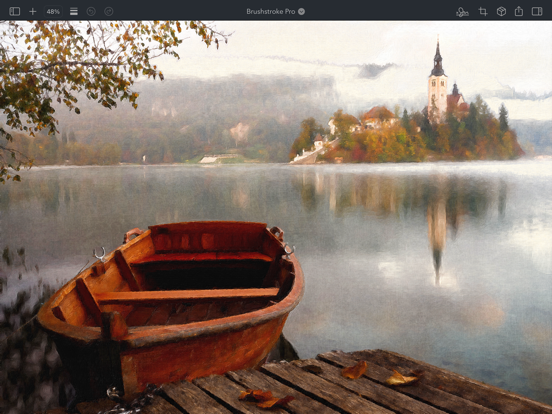
Brushstroke Pro turns your photos and videos into beautiful paintings instantly.
Now on iPadOS, Brushstroke Pro builds on our already feature-rich Brushstroke app with improved visual fidelity and detail, allowing you to create stunning high-resolution artwork with a few clicks, no brushes or cleanup required. Save your art as a project to continue your paintings later, create multiple signatures, import your real-world signature from a photo, create film-quality 4K video paintings, and much more.
Create Your Own Masterpiece
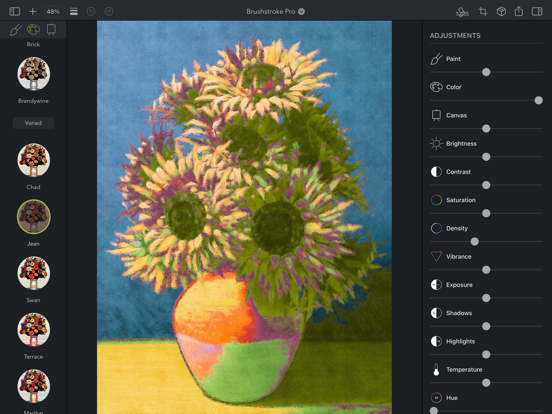
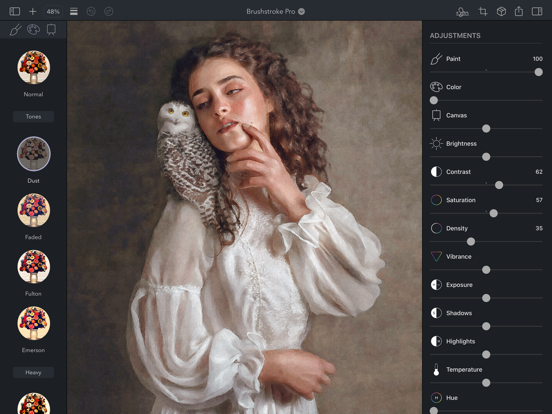
Transform ordinary photos and videos into something magical with over 90 painting and art styles. Explore familiar mediums like oil, watercolor, and acrylic, or create unique looks with styles inspired by illustrations, experimental art, and more. Customize your work of art with different canvases, color palettes, adjustments, and your signature to create your own masterpiece.
Realistic Color Palettes
Color palettes alter the color and tonality of your artwork to evoke different moods and feelings. Brushstroke Pro contains over 70 palettes inspired by and modeled after works by well-known artists and schools of art. Specialized algorithms intelligently apply the palettes to your art, realizing your vision as an artist.
3D-Modeled Canvases
Choose from more than 30 canvases and other surfaces to paint on, from canvases and papers to wood and stone, each modeled realistically in 3D. Paint pools, absorbs and changes density based on each surface’s individual weave, texture and granularity, all while interacting with the unique characteristics of the chosen paint style.
Professional Adjustments
Add your finishing touch. Brushstroke Pro contains a complete set of professional-grade lighting and color adjustments, as well as painting-specific adjustments that let you fine-tune your work to create something that’s truly your own. Change paint thickness and density, adjust canvas depth, blend your color palette, tweak lighting, and much more for just the right look.
Sign Your Art
Make your painting your own by signing it. Create a signature on your iPad, or import your real-world signature from a photo or the camera. Select a signature color and your signature is realistically applied to your painting. Save multiple signatures and pick just the right one for each unique work of art.
Make It Real
Turn your digital painting i