Remote Control for Roku TV ◦

Remote Control for Roku TV ◦ Summary
Remote Control for Roku TV ◦ is a free, with in-app purchases iOS app in Tools by AV PRO GROUP LTD. Released in Jul 2023 (3 years ago). It has 11K ratings with a 4.63★ (excellent) average. Based on AppGoblin estimates, it reaches roughly 42K monthly active users and generates around $<10K monthly revenue (100% IAP / 0% ads). Store last updated Sep 23, 2026
Recent activity: 100 new ratings this week View trends →
Remote Control for Roku TV ◦ SDKs Summary
App not yet scanned for SDKs.
4.63★
Ratings: 11K
Screenshots


App Description
This app is developed by an independent developer and is not an official application. It is not affiliated with, endorsed by, or sponsored by Roku, Inc. Roku is a registered trademark of Roku, Inc.
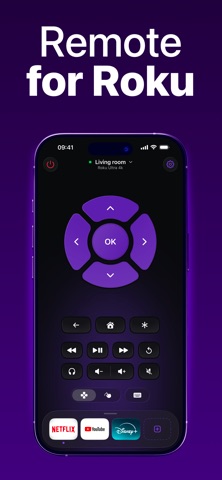
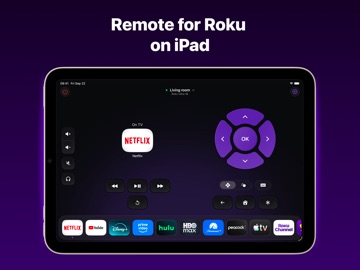
Control your Roku with ease — right from your iPhone or iPad!
Turn your mobile device into a smart remote: switch channels, adjust the volume, launch your favorite apps and services — all in just one tap.
Features you’ll love:
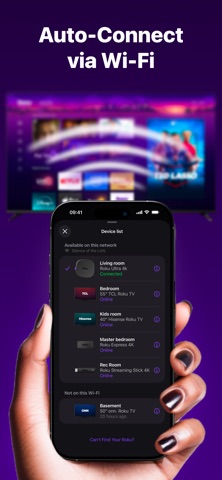
- Quick and simple setup — connect your Roku and iPhone/iPad to the same Wi-Fi network
- Channel switching and volume control with smooth navigation
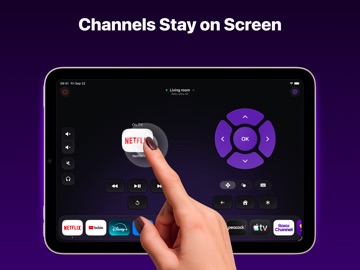
- Instant access to your favorite streaming services
- Easy-to-use interface designed for everyone
Enjoy seamless control of your Roku TV without searching for the physical remote.
Privacy Policy:
https://remotefortv.tilda.ws/privacy
Terms of Use:
https://remotefortv.tilda.ws/terms
*Pricing may vary by region and charges may be converted to your local currency.
*Payment will be charged to your iTunes account upon confirmation of purchase.
*Subscriptions automatically renew unless auto-renew is turned off at least 24 hours before the end of the current period.
*Your account will be charged for renewal within 24 hours prior to the end of the current period.
*Manage your subscription and auto-renewal in your iTunes Account Settings.
For more information, visit:
- https://support.apple.com/en-us/HT202039
- https://support.apple.com/en-us/HT204084