Journal 2024

Journal 2024 Summary
Journal 2024 is a free, ad-supported, with in-app purchases iOS app in Productivity by alkesh dudhat. Released in Jul 2023 (3 years ago). Store last updated Jan 5, 2024
Journal 2024 SDKs Summary
App not yet scanned for SDKs.
0★
Ratings: 0
Screenshots


App Description
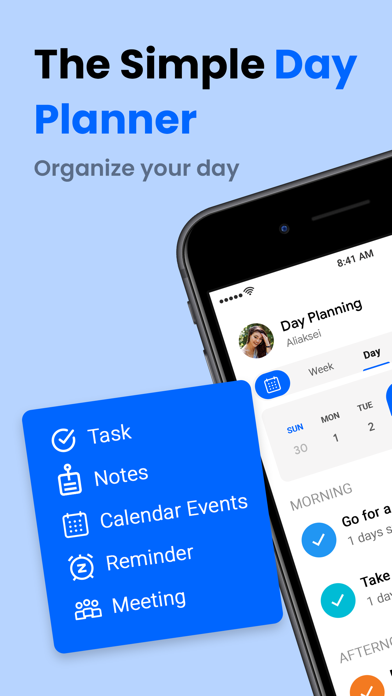
Daily Planner: To-Do List is a user-friendly to-do list and task manager app that simplifies tasks like grocery shopping, project completion, and vacation planning. It allows users to easily capture, share, and complete their to-dos.
Daily Planner: To-Do List app simplifies project management by creating personalized tasks and subtasks, with four reminder types: one-time, daily, weekly, and monthly. This ensures you always meet deadlines and important events, ensuring you always remember important tasks.
Key Features:
• Manage and schedule tasks on your phone.
• Effortful, fast, easy, intuitive, beautiful, simplicity.
• Distinguish between done and to-do tasks using a check sign in the list.
• Create task reminders, and notes, and prioritize them.
• Create reminders for important deadlines to avoid forgetting them.
• Create lists to organize home, work, and other to-dos.
• Track work progress using a colorful progression circle.
• Collaborate on to-do lists with family, friends, and colleagues.
• Be productive from anywhere with your iPhone or iPad.
The main functions are: Create, edit, copy, postpone, create, delete, manage the timeline, display statistics, reminders, data backup, and switch themes.
• Task Manager and Organiser:
Daily Planner is an advanced iOS task manager app that simplifies daily tasks, captures notes, and builds to-do lists. It blurs the line between a task manager and a note-taking app, allowing users to capture tasks and to-do lists in a rich-text editor. Users can schedule tasks for specific dates and keep related jobs organized with shareable tags.
• Manage daily tasks:
Daily task planner simplifies chaotic time management by displaying task names, periods, and reminders. It helps avoid missing time and overlapping tasks, ensuring efficient and effective time management.
• Timeline management
The calendar page displays daily tasks in a timeline, arranged from top to bottom and left and right, with time displayed from top to bottom.
• Task Statistics
The Displays time statistics and classified statistics for specific months, counting workload and usage time for each task type. It displays data in a bar chart, with height representing time and horizontal comparisons between days and categories.
• Organised Tasks and Different Views
Advanced filtering, organizing, customizable views, and a visually