Dumb Phone — Launcher & Themes

Dumb Phone — Launcher & Themes Summary
Dumb Phone — Launcher & Themes is a with in-app purchases iOS app in Productivity by Yevhen Tretiakov. Released in Jul 2024 (1 year ago). It has 651 ratings with a 4.28★ (good) average. Based on AppGoblin estimates, it reaches roughly 1.5K monthly active users and generates around $<10K monthly revenue (100% IAP / 0% ads). Store last updated Apr 29, 2026
Recent activity: 1.00 new ratings this week View trends →
SDK intelligence: AppGoblin detected 1 business tools(e.g. RevenueCat),and 1 analytics: product integrated into Dumb Phone — Launcher & Themes. View full SDK list →
Dumb Phone — Launcher & Themes SDKs Summary
Dumb Phone — Launcher & Themes was last scanned for SDKs on 2026-03-28. Below is the overview of third-party companies detected in the app. The full list of SDKs, permissions and unknowns is available here.
AppGoblin saw Dumb Phone — Launcher & Themes uses 1 Business Tools
 RevenueCat
AppGoblin saw Dumb Phone — Launcher & Themes uses 1 Analytics: Product
 Amplitude
4.28★
Ratings: 651
Screenshots



App Description
Make your iPhone calmer.
Dumb Phone helps you change how your phone feels — not by forcing you, but by removing noise and adding intention.
No endless scrolling. No constant temptation.
Just a quieter way to use your phone.
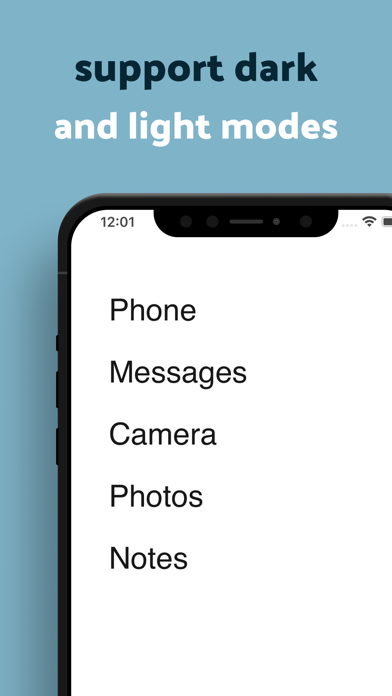
◆ Minimalist Home Screen
Replace a cluttered Home Screen with a calm, minimal layout.
Display only the apps that truly matter.
Add optional widgets like Date & Time, Weather, or Health — nothing more.
Health data is optional and only used for widgets shown on your Home Screen.
All permissions are managed through Apple Health.
◆ App & Website Control
Choose when and how you use distracting apps.
• Block apps or websites instantly for a set time
• Schedule daily or weekly focus periods
• Set gentle time limits for selected apps
• Limit how often an app can be opened
• Add an action before unlocking an app — like a pause, movement, or reflection
◆ Mindful Pauses
Add a short moment of awareness before opening selected apps.
Sometimes, a simple pause is enough to break automatic habits.
◆ Insights
See simple insights into your screen time, app usage, and notifications — without judgment or pressure.
Dumb Phone doesn’t try to control you.
It simply makes your phone easier to live with.
Terms of Use: https://dumbphone.my/terms/