SwifDoo PDF: Read & Edit PDFs

SwifDoo PDF: Read & Edit PDFs Summary
SwifDoo PDF: Read & Edit PDFs is a with in-app purchases iOS app in Tools by Chengdu Aishang Office Technology Co., Ltd.. Released in Oct 2023 (2 years ago). It has 5.00 ratings with a 1.00★ (poor) average. Based on AppGoblin estimates, it reaches roughly 13 monthly active users and generates around $<10K monthly revenue (100% IAP / 0% ads). Store metadata: updated Apr 26, 2024.
Store info: Last updated on App Store on Apr 26, 2024 .
1★
Ratings: 5.00
Screenshots



App Description
SwifDoo PDF is a versatile PDF reader and annotator that combines the functionalities of annotating PDFs, reading PDF documents, and serving as a PDF reader. With SwifDoo PDF, your mobile device becomes a fully featured and powerful mobile PDF Office, making it convenient for you to read and work with PDF files on your smartphone and tablet. Learn how to annotate a PDF with SwifDoo PDF, your all-in-one PDF reader and annotator.
Key features of SwifDoo PDF:
Read PDF
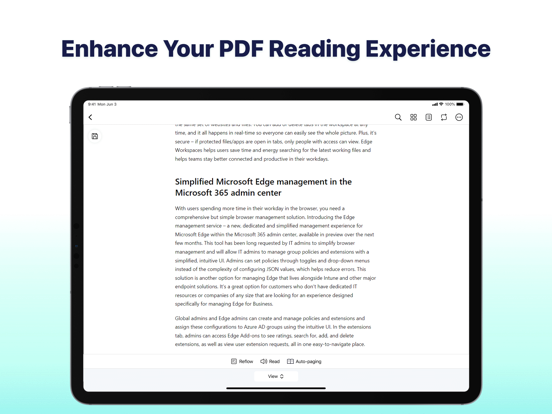
Simple Mode that hides all the toolbars and task panes for better PDF reading experience
Search for words and phrases in PDFs and quickly jump to specified locations
Automatic text-to-speech feature to read PDFs aloud with multiple languages and human voices
Document reformatting supported: change the background color or image of your PDF, change the font size, and do more to relax your eyes and read joyfully
Support viewing various files such as PDF, Word, Excel, PowerPoint, eBooks, images, and more
Annotate PDF
A set of annotation tools to underline, strikethrough, and highlight text in PDFs. Also add notes, shapes, text boxes,and freehand drawings to PDFs.
Easily view all annotations from the quick navigation bar and annotation panel
Add predefined or custom stamps to PDFs, and create dynamic stamps with the date, and time information
Reorder, rotate and delete PDF pages in just a few clicks
Convert PDF
Convert PDF to Word, PowerPoint, Excel, CAD, and image formats.
Convert Office documents, drawings, and images to PDFs without losing quality.
Merge & Split PDF
Combine two or multiple PDF files into one in the order you want.
Split a PDF into several smaller files evenly, every X page, or by entering the page ranges.
Compress PDF
Compress a PDF file to reduce the file size by three compression levels.
Customize image quality and resolution for PDF compression.
Import PDF
- Transfer PDF files from your computer to your phone for more convenience file.
- Built-in scanning feature turns your phone's camera into a scanner, effortlessly capturing photos and converting them into PDFs.
Search PDF
- Find PDF files on your device easily in a click.
In-App Purchase Details
Subscription Plan: Quarterly plan and Annual plan, and the new users enjoy a 7-day free trial
Subscription Pa