Barcode Scanner: Bar Code Read

Barcode Scanner: Bar Code Read Summary
Barcode Scanner: Bar Code Read is a free, ad-supported iOS app in Productivity by Komorebi Inc.. Released in Feb 2024 (2 years ago). It has 156 ratings with a 4.62★ (excellent) average. Based on AppGoblin estimates, it reaches roughly 336 monthly active users and generates around $<10K monthly revenue (0% IAP / 100% ads). Store last updated Oct 4, 2026
Recent activity: -1 new ratings this week View trends →
Barcode Scanner: Bar Code Read SDKs Summary
App not yet scanned for SDKs.
4.62★
Ratings: 156
Screenshots



App Description
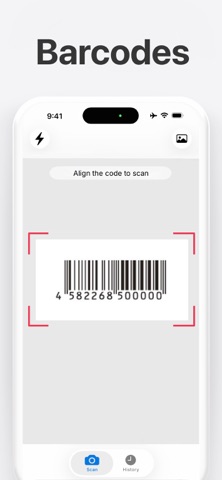
Barcode Scanner is a fast, free barcode reader for iPhone. Simple and easy to use: open the app, point your camera at a product barcode and it reads instantly, with no buttons to press and no photos to take. After a scan, you can look the product up and compare prices with one tap. Scan barcodes one after another, share your whole scan list at once, and read QR codes too.
■ Scan barcodes in seconds
The camera starts as soon as you open the app. Aim it at a barcode and it is detected automatically, so you can check a product the moment you pick it up. There is nothing to set up and nothing to type.
■ Look up products and compare prices
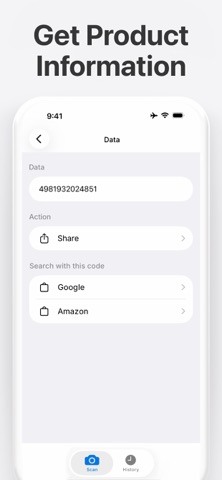
After scanning a product barcode, search buttons appear for Google, Amazon and other shopping sites. Tap a button to search for the scanned product on that site and compare the prices you find. Check how much an item costs online while you are still standing in the store, without typing the product name by hand.
■ Scan many barcodes in a row
Every scanned barcode is saved to your history automatically, so you can move straight on to the next item and keep scanning. Checking a large number of products goes quickly: scan one, then simply point the camera at the next.
■ Share your scan list in one tap
Your scan history can be shared as a text list all at once. Scan a stack of items, then send the whole list by mail or chat. This is handy for keeping records of products, sharing a list of items with someone, or saving codes to look at later.
■ Scan codes from images
The app also reads barcodes and QR codes from images in your photo library: screenshots, downloaded images and photos sent by email or chat. Select the image and the code is read right away, with no second device needed.
■ Scan history always at hand
Every scan is saved automatically. Reopen results anytime, copy them, or share the whole list at once. Your history is stored locally on your device.
■ Light for dark places
Turn on the light button to read barcodes in dark places: warehouse shelves, storage boxes, or dim corners of a shop.
■ QR codes supported too
The app reads QR codes as well. Open links in Safari or Chrome, copy the content, share it, or search for product information. One app covers both barcodes and QR codes.
■ Main features
- Automatic scanning — point the camera at a barcode and it reads on its own
- Product search — l