WiFi Universal Remote - TVCast

WiFi Universal Remote - TVCast Summary
WiFi Universal Remote - TVCast is a free, ad-supported, with in-app purchases iOS app in Tools by DO HONG CHIEN. Released in Aug 2023 (3 years ago). It has 1.00 ratings with a 5.00★ (excellent) average. Based on AppGoblin estimates, it reaches roughly 4.00 monthly active users and generates around $<10K monthly revenue (27% IAP / 73% ads). Store last updated Apr 13, 2026
WiFi Universal Remote - TVCast SDKs Summary
App not yet scanned for SDKs.
5★
Ratings: 1.00
Screenshots


App Description
Turn your phone into a powerful universal remote control for all your Smart TVs. No IR blaster needed — connect via WiFi and take full control of Samsung, LG, TCL Roku, Vizio, and Fire TV devices instantly.
SUPPORTED TV BRANDS
- Samsung Smart TV (2016+)
- LG webOS TV (2014+)
- TCL Roku TV
- Vizio SmartCast TV
- Amazon Fire TV & Fire Stick
KEY FEATURES
Smart Remote Control
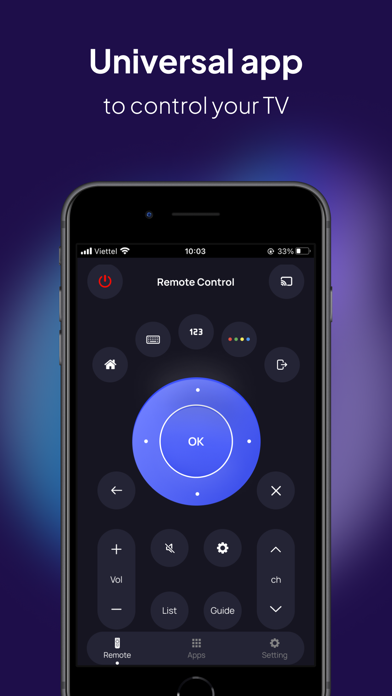
Use your phone as a fully functional TV remote with intuitive touchpad navigation, volume control, channel switching, and power on/off — all over WiFi.
Screen Mirroring & Cast
Mirror your phone screen to your TV wirelessly. Cast photos, videos, and presentations from your device to the big screen in seconds.
Auto Discovery
The app automatically detects all compatible Smart TVs on your WiFi network. No complicated setup — just connect and control.
Keyboard & Text Input
Type directly from your phone keyboard to your TV. Perfect for searching Netflix, YouTube, and other streaming apps without the frustrating on-screen keyboard.
Touchpad Navigation
Smooth, responsive touchpad lets you navigate your TV interface with swipe gestures — faster and more intuitive than arrow buttons.
App Launcher
Launch your favorite streaming apps directly — Netflix, YouTube, Disney+, Prime Video, Hulu, and more — with one tap.
Multi-Device Control
Control multiple TVs from one app. Switch between rooms and devices seamlessly.
WHY CHOOSE US?
+ 100% Free core features
+ No IR blaster or additional hardware required
+ Works over WiFi — unlimited range in your home
+ Fast, lightweight, battery-friendly
+ Intuitive design — no learning curve
+ Regular updates with new TV brand support
HOW IT WORKS
1. Connect your phone and TV to the same WiFi network
2. Open the app and let it discover your TV
3. Tap to connect and start controlling
Download now and transform your smartphone into the ultimate universal remote control for your Smart TV!
PREMIUM
Weekly - USD 3.49 per week
Annually - USD 39.99 per year with 3 days free trial
Privacy Policy: https://liamstudio.netlify.app/privacy.html
Terms of service: https://liamstudio.netlify.app/terms.html