Screen Mirroring・TV Cast App

Screen Mirroring・TV Cast App Summary
Screen Mirroring・TV Cast App is a free, ad-supported, with in-app purchases iOS app in Tools by Hong Kong Runhe Industrial Limited. Released in Aug 2023 (3 years ago). It has 3.9K ratings with a 4.36★ (good) average. Based on AppGoblin estimates, it reaches roughly 9.1K monthly active users and generates around $<10K monthly revenue (31% IAP / 69% ads). Store last updated Sep 22, 2026
Recent activity: 1.00 new ratings this week View trends →
SDK intelligence: AppGoblin detected 2 ad networks(e.g. Google), 2 development tools, 1 analytics: attribution,and 1 analytics: product integrated into Screen Mirroring・TV Cast App. View full SDK list →
Screen Mirroring・TV Cast App SDKs Summary
Screen Mirroring・TV Cast App was last scanned for SDKs on 2026-07-30. Below is the overview of third-party companies detected in the app. The full list of SDKs, permissions and unknowns is available here.
 Google
 AdMob
AdMob nanopb
 AppsFlyer
 Firebase
4.36★
Ratings: 3.9K
Screenshots

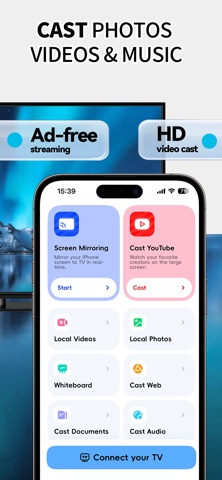
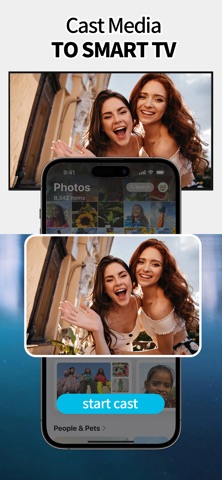



App Description
Screen Mirroring – Cast to TV
Turn your iPhone or iPad into a powerful screen-sharing tool!
With Screen Mirroring, you can instantly mirror your device to any smart TV in full quality and real-time speed—no cables, no extra hardware.
How It Works
- Connect your iPhone/iPad and TV to the same Wi-Fi network.
- Open the app and select your TV.
- Allow the connection request on your TV.
- Tap Start Mirroring and enjoy your content on the big screen!
Key Features
- No TV app required – works directly with your smart TV.
- Wireless streaming – cast photos, videos, music, and files.
- Full-screen mirroring – mirror apps, games, and web content.
- Smart device detection – quickly find TVs on your Wi-Fi network.
- Supports popular brands – Samsung, LG, Roku, and more.
- High-quality playback – smooth and clear in real time.
Note: Both your iPhone/iPad and TV must be connected to the same Wi-Fi network. Please turn off VPNs or proxies for best results.
Disclaimer
This app is not affiliated with or endorsed by any of the TV brands mentioned.
Subscription Info
Payment will be charged to your Apple ID at confirmation of purchase. Subscriptions renew automatically unless canceled at least 24 hours before the end of the current period. Manage or cancel your subscription anytime in your App Store account settings.
Auto-Renewal Membership Terms
Subscription Plans: Weekly Membership, Monthly Membership
Payment: Payment will be charged to your iTunes Account upon purchase confirmation. Subscriptions will auto-renew unless canceled at least 24 hours prior to the end of the current billing cycle. Your account will be charged for renewal within 24 hours before the expiry of the current subscription period at the rate of your selected plan.
Cancel Auto-Renewal: To cancel your subscription, please complete the cancellation at least 24 hours before the end of your current billing cycle. Go to Settings > iTunes Store & App Store > Tap your Apple ID to enter account settings, then select Subscriptions to cancel your plan. If you fail to cancel at least 24 hours before the subscription expires, your subscription will be automatically renewed.
User Agreement: https://share.note.youdao.com/s/bryB88Bx
Privacy Policy: https://share.note.youdao.com/s/ZzHmCooQ
Contact Us: https://share.note.youdao.com/s/TEic3201