Subscription Tracker & Manager

Subscription Tracker & Manager Summary
Subscription Tracker & Manager is a with in-app purchases iOS app in Finance by Stephen Kuyper. Released in Nov 2023 (2 years ago). Store metadata: updated Feb 6, 2026.
Store info: Last updated on App Store on Feb 6, 2026 .
0★
Ratings: 0
Screenshots

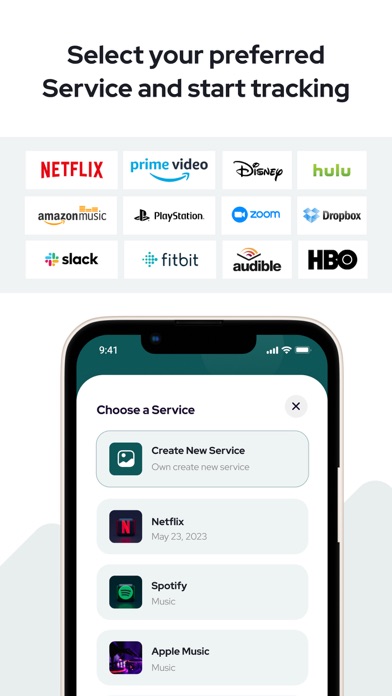

App Description
Subscription Manager: Budget – Subscription Tracker & Bill Reminder
Take control of your recurring expenses with the ultimate subscription manager and budget planner. Monitor subscriptions, track bills, receive payment reminders, and cancel unwanted services—all from one intuitive dashboard.
Track Your Subscriptions for Free
• Free Tier – Manage up to 3 subscriptions at no cost.
Unlock Unlimited Tracking
• Upgrade to Premium for unlimited subscription tracking, advanced analytics, and priority support.
Key Features
Centralized Dashboard
View every streaming service, software plan, and membership in one place.
Smart Reminders & Alerts
Get timely notifications before due dates to avoid late fees and overdrafts.
One-Tap Cancellation
Instantly cancel unwanted subscriptions without hopping between sites.
Visual Budget Planner
Interactive charts and forecasts help you plan and optimize your spending.
Expense Categories & Reports
Tag subscriptions, filter by cost or date, and export detailed summaries.
Benefits of Using Our App
Save Money by uncovering hidden or duplicate subscriptions.
Avoid Overdrafts & Fees with proactive payment reminders.
Gain Financial Clarity through real-time dashboards and expense reports.
Simplify Expense Management with a powerful subscription tracker and bill manager.
Download Subscription Manager: Budget now to streamline your subscriptions, master your budget, and reclaim control of your finances—no surprises, just savings!
Subscribe to get Pro access to all features. You will be charged after the purchase confirmation. Subscriptions auto-renew 24 hours before the expiration date. You can manage your subscriptions in Account Settings on the App Store.
Privacy Policy: https://sites.google.com/view/billreminderpro/privacy-policy
Terms & Conditions: https://sites.google.com/view/billreminderpro/terms-conditions