Word Documents - Office Reader

Word Documents - Office Reader Summary
Word Documents - Office Reader is a free, ad-supported, with in-app purchases iOS app in Productivity by NeonApps. Released in Feb 2025 (1 year ago). It has 553 ratings with a 4.33★ (good) average. Based on AppGoblin estimates, it reaches roughly 1.7K monthly active users and generates around $<10K monthly revenue (37% IAP / 63% ads). Store last updated Aug 20, 2026
Recent activity: 1.00 new ratings this week View trends →
Word Documents - Office Reader SDKs Summary
App not yet scanned for SDKs.
4.33★
Ratings: 553
Screenshots



App Description
Word Document App is a powerful document editing and management tool that provides a seamless experience for creating, modifying, and managing Word files with ease. Whether you're a student, professional, or casual user, our app is designed to meet your document editing needs with an intuitive interface and rich functionality.
Features:
1. Word Document Editing & Creation:
• New Word Document Creation – Easily create new Word documents.
• Text Formatting:
- Apply bold, italic, underline, and strikethrough styles.
- Choose from a variety of fonts and adjust text size.
- Set text alignment (left, center, right, justify).
- Customise text color to enhance readability.
• Undo & Redo Options – Quickly reverse or repeat actions.
2. Image Handling:
• Insert Images – Add images from the camera or gallery into Word files.
• Multiple Image Support – Insert multiple images seamlessly within a document.
3. PDF Conversion & File Management:
• Word to PDF Conversion – Convert Word documents into high-quality PDFs.
• Image to PDF Creation & Sharing – Convert images to PDFs and share instantly.
• Excel to PDF Conversion – Convert Excel files to PDF.
• PPT to PDF Conversion – Convert PowerPoint presentations to PDF.
4. Smart Document Search:
• Search & Find Word Documents – Locate documents easily using a keyword search.
5. Recent Files & Quick Access:
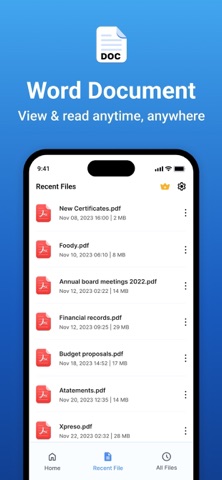
• Recent File List – View and open your recently used documents instantly.
• Manage Recent Documents:
• Rename files
• Share documents
• Delete unwanted files
6. File Sorting & Organisation:
• Sort files by:
• Name
• Date
• Size
• Ascending Order
• Descending Order
Subscription Details: -
- Payment will be charged to iTunes Account at confirmation of purchase.
- Subscription automatically renews unless auto-renew is turned off at least 24 hours before the end of the current period.
- Account will be charged for renewal within 24 hours prior to the end of the current period, and identify the cost of the renewal.
- No cancellation of the current subscription is allowed during the active subscription period.
- Any unused portion of a free trial period, if offered, will be forfeited when the user purchases a subscription to that publication, where applicable.
For F