Photo Purge: Swipe & Delete

Photo Purge: Swipe & Delete Summary
Photo Purge: Swipe & Delete is a free, with in-app purchases iOS app in Tools by MW Lifestyle GmbH. Released in Nov 2023 (2 years ago). It has 1K ratings with a 4.43★ (good) average. Based on AppGoblin estimates, it reaches roughly 2.1K monthly active users and generates around $<10K monthly revenue (100% IAP / 0% ads). Store last updated May 19, 2026
Recent activity: -1 new ratings this week View trends →
Photo Purge: Swipe & Delete SDKs Summary
App not yet scanned for SDKs.
4.43★
Ratings: 1K
Screenshots


App Description
The day you’ve been dreading has finally come. A notification pops up on your screen and reads ‘iPhone Storage Full’. You attempt to make sense of the boundless sea of screenshots from your motivational quote phase. You come across an absurd number of pictures of a spider that was in your apartment that one time, which in retrospect, wasn’t that big. Priceless memories are scattered throughout your gallery, but you’re bored and losing interest fast. Before you give up, you start selecting pictures by the dozen to delete. Only to realise days later that you actually needed that screenshot deleted in the masses and you actually didn’t mind how you looked in that group photo, the sun was just in your eyes.
Organizing your picture gallery can be a daunting task and you’re not alone. Did you know the average iOS user has about 2400 pictures in their gallery? With all of those images to sort through, you can’t help but wonder if there is a better way. Well, get ready, the answer is here!
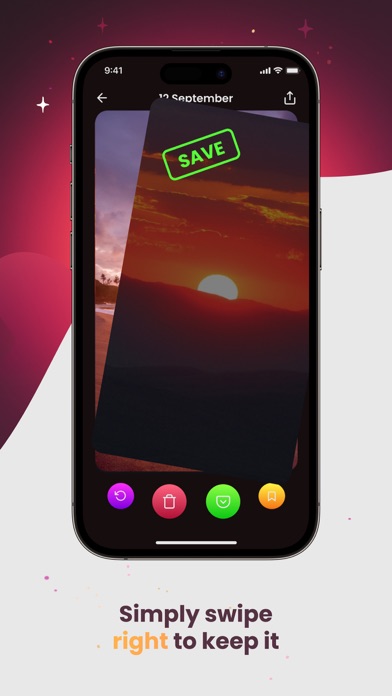
Say hello to PhotoPurge, a photo cleaner app designed to make organizing your gallery fun and simple! Our swiping feature takes you on a stroll down memory lane picture by picture, all you have to do is swipe right to keep and swipe left to delete. Cleaning up your gallery has never been easier or more engaging!
Key Features:
- Swipe right! Keep a Picture
- Swipe left! Delete a Picture
- Revert: Revert pictures If you accidentally delete or keep an image, you can easily bring it back with the revert button.
- Bookmark: Save your favorite pictures and view them in an automatically generated file. You’ll never have to search for another picture again!
- Review: You can review deleted and kept pictures once you’re done swiping, just to make sure you’re happy with your swipes.
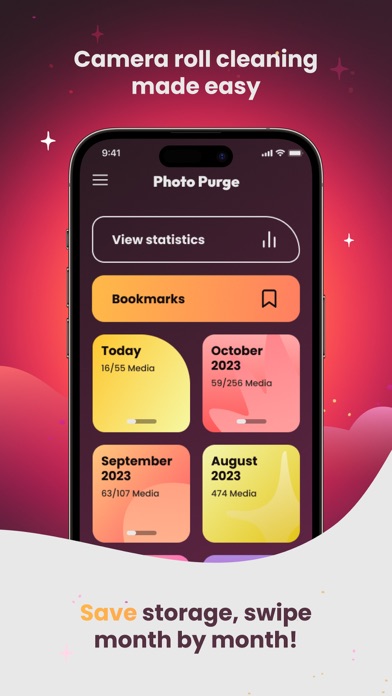
- Progress Bar: Perhaps you had to cut your storage clearance a little short, not to worry! When you come back, there will be a progress bar on the incomplete month, so you know where you’re at and how much is left to go.
- Reach your storage goals: You can set storage goals you would like to accomplish on your storage saving venture, letting you achieve your goals effectively!
- Categorized by Month: You can work through your gallery by month, once you’ve completed it, the month will be checked off making it a breeze to see how much you’ve done already.
- On This Day: Allo