Screen Mirroring App: Cast TV

Screen Mirroring App: Cast TV Summary
Screen Mirroring App: Cast TV is a ad-supported, with in-app purchases iOS app in Tools by Security App LTD. Released in Nov 2023 (2 years ago). It has 73 ratings with a 4.49★ (good) average. Based on AppGoblin estimates, it reaches roughly 235 monthly active users and generates around $<10K monthly revenue (30% IAP / 70% ads). Store metadata: updated Nov 12, 2023.
Store info: Last updated on App Store on Nov 12, 2023 .
4.49★
Ratings: 73
Screenshots


App Description
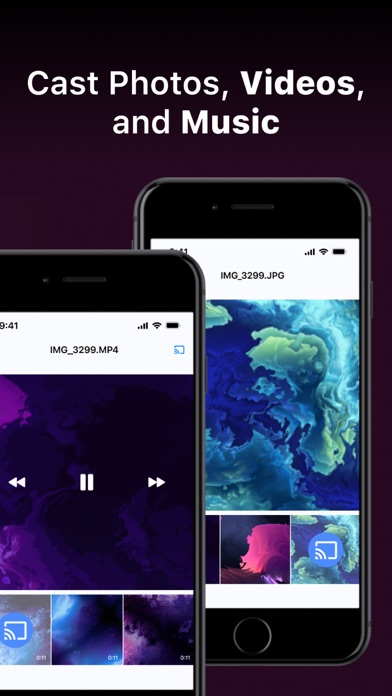
Screen Mirroring App: TV Cast Play empowers users to effortlessly mirror their phone's screen on any compatible smart TV wirelessly and without any delays. This versatile application serves various purposes, from delivering presentations to enjoying movies and immersive gaming experiences on your television.
It's important to note that Screen Mirroring App: TV Cast Play operates independently and has no affiliations with specific TV brands. This application offers a wide range of features, allowing users to mirror their phone's screen, cast photos and videos directly from their photo library to the TV, and even replicate the phone's camera feed on the TV screen.
How to Use:
To initiate screen mirroring between your phone and TV, follow these essential steps: connect both devices to the same Wi-Fi network. Once connected, launch the app and establish a connection with your TV. Then, tap the "Screen Mirroring" button and follow the provided instructions to start mirroring seamlessly.
Screen Mirroring App: TV Cast Play offers a premium version, which grants access to the complete set of features. You can choose between a weekly, monthly, or yearly subscription, and there's a complimentary 3-day trial available. Unlock premium features, including full-screen mirroring, unrestricted photo casting, and video casting to your TV.
Enjoy a 3 days trial or opt for more affordable subscription options without a free trial: Weekly, Monthly, and Yearly Subscription.
Payments are processed through your iTunes account upon purchase confirmation, and subscriptions automatically renew unless you disable auto-renewal at least 24 hours before the current subscription period ends. You can conveniently manage your subscriptions, and any unused portion of a free trial will be forfeited upon subscribing to the publication, as applicable.
Privacy Policy:
Read our Privacy Policy here http://screencastmirrorapp.info/pp.html
Terms of Use:
Find our Terms of Use here http://screencastmirrorapp.info/terms.html
Support:
For inquiries, concerns, or feedback, our dedicated support team is ready to assist you. Feel free to contact us at vptransitltd@gmail.com, and we'll be delighted to provide assistance.