Screen Mirroring · Smart TV

Screen Mirroring · Smart TV Summary
Screen Mirroring · Smart TV is a free, ad-supported, with in-app purchases iOS app in Tools by Aquin. Released in Nov 2023 (2 years ago). It has 23K ratings with a 4.61★ (excellent) average. Based on AppGoblin estimates, it reaches roughly 63K monthly active users and generates around $<10K monthly revenue (26% IAP / 74% ads). Store last updated Aug 26, 2026
Recent activity: 3.00 new ratings this week View trends →
SDK intelligence: AppGoblin detected 5 development tools(e.g. Google), 2 ad networks, 2 analytics: product, 1 analytics: attribution,and 1 business tools integrated into Screen Mirroring · Smart TV. View full SDK list →
Screen Mirroring · Smart TV SDKs Summary
Screen Mirroring · Smart TV was last scanned for SDKs on 2026-09-23. Below is the overview of third-party companies detected in the app. The full list of SDKs, permissions and unknowns is available here.
 Google
 Facebook
 Airbnb Engineering
 nanopb
 Starscream
 AppsFlyer
 Firebase
 Amplitude
 Adapty
4.61★
Ratings: 23K
Screenshots


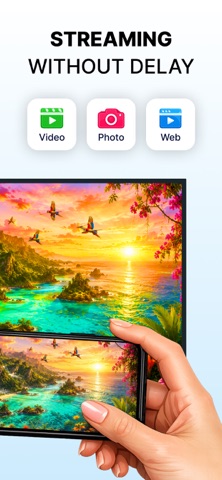
App Description
Revolutionize how you watch your favorite content with Screen Mirroring.
• Enhance the way you mirror your iPhone screen and stream your favorite content to your Smart TV. Whether you want to watch videos, share photos, play games, or display apps on a larger screen, everything works smoothly and wirelessly.
• Enjoy high-quality streaming with a stable connection — no cables, no complicated setup, no additional hardware required.
• Turn your TV into a powerful extension of your iPhone.
Stream, Cast & Mirror Without Limits
• Mirror your iPhone screen to your Smart TV in real time
• Stream videos from apps like Instagram, TikTok, YouTube, and more
• Cast photos and videos from your gallery to the big screen
• Watch movies and TV shows in high definition
• Play mobile games on your TV for a bigger experience
• Share presentations, documents, and work materials
• Display video calls on your TV for better visibility
Powerful Features for Smooth Streaming
• Supports Roku, Fire TV, Chromecast, Samsung, LG and other major Smart TVs
• Compatible with AirPlay and popular streaming devices
• High-quality video streaming with minimal lag
• Cast online videos directly from the web
• Real-time screen sharing and stable wireless display
• No additional hardware or software needed
• Built-in easy-to-use IPTV player
• Clean, intuitive interface for effortless control
Easy Setup – Start in Seconds
Getting started is simple:
• Connect your iPhone and TV to the same Wi-Fi network
• Select your TV from the list of available devices
• Start screen mirroring and enjoy your content on the big screen
Note: For best performance, disable VPN or proxy before connecting.
Privacy Policy: https://aquinventures.ltd/Mirroring/privacy.html
Terms of Service: https://aquinventures.ltd/Mirroring/terms.html