Remote Camera Control via Air

Remote Camera Control via Air Summary
Remote Camera Control via Air is a with in-app purchases iOS app in Photo And Video by Dmitriy Kharutskiy. Released in Jun 2024 (1 year ago). It has 19 ratings with a 3.89★ (average) average. Based on AppGoblin estimates, it reaches roughly 17 monthly active users and generates around $<10K monthly revenue (100% IAP / 0% ads). Store metadata: updated Apr 23, 2026.
Store info: Last updated on App Store on Apr 23, 2026 .
3.89★
Ratings: 19
Screenshots

App Description
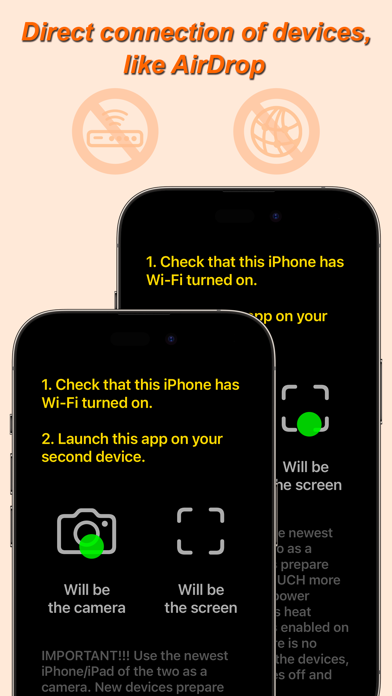
The app for remote control of an iPhone/iPad camera using another iPhone/iPad. The two devices use peer-to-peer Wi-Fi, which allows the devices to communicate directly, even if they are not on the same Wi-Fi infrastructure network. This technology is used by AirPlay, AirDrop, etc. In other words, Internet access or a Wi-Fi router is NOT needed. The maximum distance at which a connection can be maintained between two devices is about 20 foot.
The app has the following features:
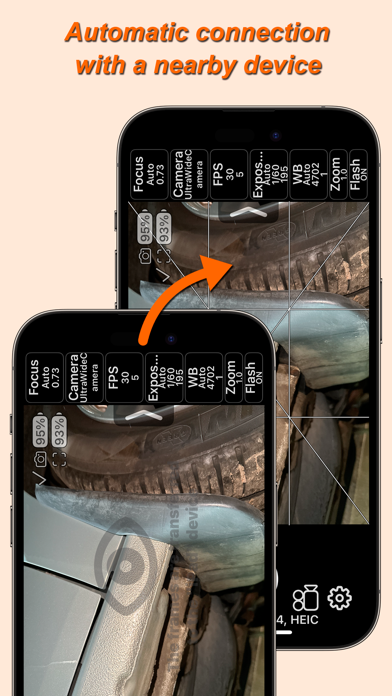
• Control the iPhone/iPad camera using another iPhone/iPad.
• Show the camera preview image on another iPhone/iPad.
• You can enable the use of the device's camera when the same device acts as a screen. Disabled by default.
• Manual camera settings, including frame rate settings.
• Save camera settings to a list of settings for different situations. Read more about this below.
• Lock camera settings with one button.
• Select video format from 144p to 4K.
• Pause during video recording.
• Capturing photos in video recording mode. With the dimensions of the selected video format.
• Save photos in HEIC, JPEG, TIFF, PNG, Apple ProRAW formats (if supported by the device).
• Taking photos at 48 MP resolution. If the device has cameras that support this resolution.
• Various grid options, including the ability to display your own PNG grid file. PNG file must have a transparent background. It is possible to select the thickness of the grid lines. The overlay grid image of the PNG file can be shifted. The PNG file image shifting feature is made for adaptation to the Video Telescope Collimation proposed by Dr. Leon Palmer (https://rigelsys.com/video collimation.html).
• A series of photos with a custom time interval between photos and the number of photos in a series.
• Overlay photos for subsequent combination of different photos or videos. To overlay a PNG file grid, you need to use a different function in the grid settings.
• Averaging a series of frames to remove moving objects.
• Slow motion video.
• Time-lapse video.
• Cinematic video stabilization.
• Mirror image flipping on the device acting as a screen.
• Timer.
• Selecting a location to save photos and videos (including an external drive). In the photo library of the "Photos" app. In the folder of this app or any other app that has a folder in the "Files" app. On an external drive connected to