Lens OCR - Image To Text

Lens OCR - Image To Text Summary
Lens OCR - Image To Text is a free, with in-app purchases iOS app in Tools by Halil Ibrahim Oztekin. Released in Jan 2024 (2 years ago). It has 2.00 ratings with a 5.00★ (excellent) average. Based on AppGoblin estimates, it reaches roughly 5.00 monthly active users and generates around $<10K monthly revenue (100% IAP / 0% ads). Store last updated Jul 8, 2024
Lens OCR - Image To Text SDKs Summary
App not yet scanned for SDKs.
5★
Ratings: 2.00
Screenshots




App Description
"Lens OCR - Effortless Text Transformation!
Unleash the potential of Lens OCR, featuring advanced Optical Character Recognition (OCR) technology. Convert images, photos, PDFs, and spoken words into editable text seamlessly.
Key Features:
1. Powerful OCR Technology: Harness the strength of cutting-edge OCR for instant text conversion from images, photos, PDFs, and speech.
2. Versatile Input Options: Image to text from various sources - images, live camera shots, PDFs, or spoken words. Lens OCR offers diverse input formats for text conversion.
3. Automatic Save and Edit: OCR Scans are automatically saved, enabling easy editing, saving, and sharing. Your work is accessible whenever you need it.
4. User-Friendly Interface: With a simple, intuitive interface, Lens OCR - Image To Text ensures fast and user-friendly text conversion.
5. Privacy and Security: Your privacy is a priority. Lens OCR - Image To Text securely stores scans locally on the device, keeping sensitive data safe.
6. Use Anytime, Anywhere: Mobile-friendly Lens OCR allows text ocr conversion on the go. Whether scanning documents or converting speech to text, Lens OCR is your reliable companion.
Additional Features:
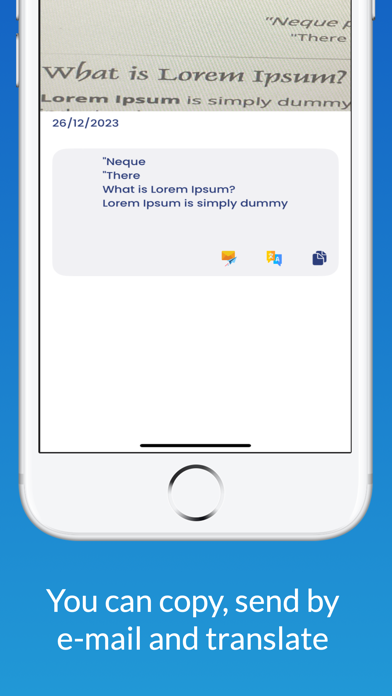
- Copy and Paste: Quickly use converted photo to text converter's result in other applications.
- Email Integration: Send converted photo to text via email directly from the app.
- Translate Functionality: Seamlessly translate photo to text into different languages.
Unlock the power of text within images with Text Scanner (Lens OCR)!
Effortlessly extract text from images, screenshots, and PDFs with unparalleled accuracy in 92 languages. Translate the extracted text into over 100 languages for seamless communication across the globe.
Experience the future of image to text transformation with Lens OCR - your go-to for image to text, photo to text converter, text scanner, OCR, speech to text, and more!"
PRO Lens OCR Key Features::
Unmatched Accuracy: Extract text from any image with 99%+ accuracy.
Multilingual Support: Recognize text in 92 languages and translate into over 100 languages.
Versatile Input: Scan images, screenshots, and PDFs.
Screenshot OCR: Instantly extract text from your screen captures.
PDF Import: Extract and translate text from PDF documents.
Intuitive Editing: Crop images, edit OCR results, and share with ease.
Organized Scans: Save, sort, and search th