Remote for Samsung TV Smart

Remote for Samsung TV Smart Summary
Remote for Samsung TV Smart is a free, with in-app purchases iOS app in Tools by Controlla TV LTD.. Released in Feb 2024 (2 years ago). It has 39K ratings with a 4.43★ (good) average. Based on AppGoblin estimates, it reaches roughly 143K monthly active users and generates around $10K+ monthly revenue (100% IAP / 0% ads). Store last updated Aug 20, 2025
Recent activity: 446 new ratings this week View trends →
SDK intelligence: AppGoblin detected 5 development tools(e.g. Google), 3 ad networks,and 1 analytics: product integrated into Remote for Samsung TV Smart. View full SDK list →
Remote for Samsung TV Smart SDKs Summary
Remote for Samsung TV Smart was last scanned for SDKs on 2026-07-27. Below is the overview of third-party companies detected in the app. The full list of SDKs, permissions and unknowns is available here.
 Google
 Facebook
 AdMob
AdMob Airbnb Engineering
 nanopb
 Alamofire
 Firebase
4.43★
Ratings: 39K
Screenshots


App Description
Controlla app provides a perfect solution for remote control of your Samsung TV. The sleek multi-button design ensures an intuitive, simple, and comfortable operation, giving you unparalleled control at your fingertips. We are seamlessly transforming your smartphone into a powerful remote control!
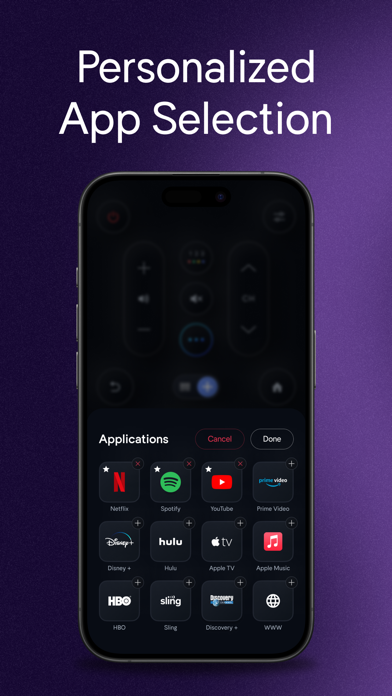
Watch your favorite TV shows and movies using our unique streaming buttons for Netflix, Prime, and Youtube. Controlla makes watching what you love easier, browsing online, and accessing your favorite content.
Let us make your TV experience more straightforward and seamless with the new Samsung smart remote. We created this app for people who want easy & fast access to control their Samsung TV from their mobile device!
This app gives you complete control over your Samsung Smart TV, including all of the
features of your old physical remote control and some more intelligent functions. To use Controlla, connect the mobile device and Smart TV to the same WIFI network and start using it.
***BUTTONS***
- Turn ON and OFF the TV (Supported models only)
- Home button
- Return button
- Numbers keyboard buttons(Enter a channel number for jumping right to it)
- Colors buttons (red, yellow, green, blue)
- Change channels (next and previous )
- Increase or decrease the volume (also using the Phone side buttons)
- Mute the sound (silent mode)
- Change the source (HDMI, PC, AV...)
- Access the 4 favorite buttons - Up / Down / Left / Right Navigation + center button “OK”
- Play / pause / Reverse / Fast Forward.
- Netflix button, Amazon prime button, and Youtube button
- Settings button
- Menu button
***FEATURES***
- No infrared equipment required, just Wi-Fi connection
- Every time you open the app, your TV will be auto-connected for quick and easy access
- Realistic and user-friendly app design
- Light vibration when pressing buttons
- Connect to multiple TVs with the same phone + option to switch between the devices
Forget about the hassle of searching for the physical remote or dealing with clunky on-screen keyboards. Our app ensures a seamless and efficient control experience, putting you in command of your entertainment.
Whether you're binge-watching your favorite series, exploring the latest movies, or catching up on YouTube videos, this app empowers you with the tools you need.
With just a few taps, you can unleash the power of Controlla Samsung Smart Remote and