Decory - Interior Design AI

Decory - Interior Design AI Summary
Decory - Interior Design AI is a ad-supported, with in-app purchases iOS app in Art And Design by The AI Journey Inc.. Released in Mar 2024 (2 years ago). It has 219 ratings with a 4.54★ (excellent) average. Based on AppGoblin estimates, it reaches roughly 574 monthly active users and generates around $<10K monthly revenue (30% IAP / 70% ads). Store metadata: updated Jun 4, 2026.
Recent activity: 1.00 new ratings this week View trends →
Store info: Last updated on App Store on Jun 4, 2026 .
4.54★
Ratings: 219
Screenshots


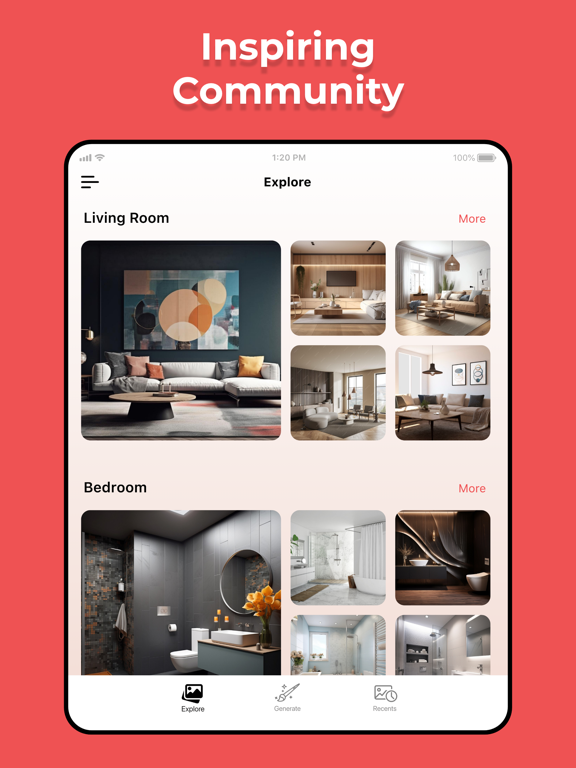
App Description
Decory – Your Room, Reimagined, Redesigned.
Your room could look completely different. Decory is the AI interior design app that lets you visualize room transformations and see photo realistic redesigns before you move a single piece of furniture.
Most people spend hours sometimes thousands making design decisions they can't visualise first. Wrong furniture. Wrong colours. A room that never quite feels right. Decory changes that. Upload a photo, sketch a layout, or describe your space—and see a stunning interior design in seconds. No design skills needed. No consultation fees.
Made for moments like these
Moving into a new place and want to see it styled before buying a single thing. Renting and looking for decor ideas without committing to changes. Planning a renovation and need to see the outcome before spending anything. Refreshing a bedroom, living room, dining room, bathroom, kitchen, home office, or small apartment—whatever your space, Decory makes the decision easier.
Find a Style That Feels Like You
• Take the Taste Quiz Swipe through 10+ design cards and Decory learns what you love. Your taste profile is saved in My Styles and applied to every room you design.
• Browse 20 Curated Styles Minimalist Interior, Scandinavian Interior, Boho Interior Design, Industrial Interior, Zen Room Design, Biophilic Design, Victorian Interior, Modern Style, and more. Each one hand-picked tap to make it yours.
• Use a Saved Style Return to a style you love and apply it to a new room. Your design identity, always ready.
Start Any Way You Want
• Template Choose from 94 curated room layouts across living room, bedroom, kitchen, bathroom, and office. The room shape is already right—just add your style.
• AI Architect Describe your room in plain language and Decory builds the floor plan. Or draw it yourself in Draw mode with real measurements. No photos needed.
• Photo Scan The most accurate start: capture four corners of your room and Decory rebuilds the space before redesigning it.
The AI Does the Heavy Lifting
Decory analyzes, styles, furnishes, and renders your room. Then you swipe through the results and pick your five favorites—and Decory combines them into one refined design, tuning the lighting, adding details, and applying a final polish. You get notified the moment it is ready. Generate as many variations as you want—no limits.