Word Document

Word Document Summary
Word Document is a free, ad-supported, with in-app purchases iOS app in Productivity by Neon Infotech FZ-LLC. Released in Oct 2024 (2 years ago). It has 3.00 ratings with a 2.33★ (poor) average. Based on AppGoblin estimates, it reaches roughly 29 monthly active users and generates around $<10K monthly revenue (75% IAP / 25% ads). Store last updated Aug 24, 2026
Recent activity: 1.00 new ratings this week View trends →
Word Document SDKs Summary
App not yet scanned for SDKs.
2.33★
Ratings: 3.00
Screenshots


App Description
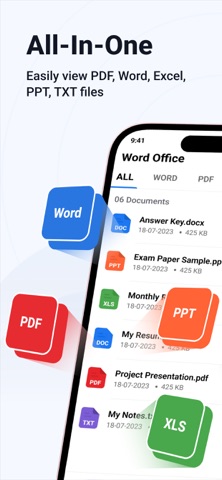
Word Document is a versatile document management app designed to handle five popular file formats seamlessly. With its user-friendly interface, the app offers a variety of features to enhance productivity and file organisation.
Key features include:
• Supports 5 File Formats: Manage and work with Word, PDF, Excel, PowerPoint, and TXT files effortlessly.
• Favourites Feature: Easily mark important files as Favourites for quick access in a dedicated list.
• Recent Files: Quickly view the files you've recently opened in the Recent tab, allowing for easy access to frequently used documents.
• File Filters: Apply filters to your files to sort and organise them based on criteria like file type, date, size, or name.
• File Management Options: You can rename, share, or delete files with ease, providing flexibility in managing your documents.
• Search Functionality: Use the built-in search feature to quickly find specific files by name or content.
• Bulk File Operations: Select multiple files at once to share or delete, streamlining your workflow.
• Multilingual Support: The app is available in multiple languages, ensuring usability for a global audience.
• Dark Mode: Enjoy a more comfortable viewing experience with the app’s dark mode feature, especially in low-light environments.
Word Document offers a comprehensive solution for managing and organising various file types in a single app, with features designed for efficiency and ease of use.
==========================
Subscription Details:
- Payment will be charged to iTunes Account at confirmation of purchase.
- Subscription automatically renews unless auto-renew is turned off 24 hours before the end of the current period.
- Account will be charged for renewal within 24 hours prior to the end of the current period.
- No cancellation of the current subscription is allowed during the active subscription period.
- Any unused portion of a free trial, if offered, will be forfeited upon purchase.
Terms of Use : https://privacypolicycenter.com/new/terms/id6475183628
Privacy Policy : https://privacypolicycenter.com/new/view/id6475183628
EULA: https://privacypolicycenter.com/new/eula/id6475183628