Network Analyzer: WiFi Scanner

Network Analyzer: WiFi Scanner Summary
Network Analyzer: WiFi Scanner is a with in-app purchases iOS app in Tools by SETUP TECH. Released in Jan 2024 (2 years ago). It has 817 ratings with a 4.60★ (excellent) average. Based on AppGoblin estimates, it reaches roughly 2.2K monthly active users and generates around $<10K monthly revenue (100% IAP / 0% ads). Store metadata: updated May 26, 2026, version 2.
Recent activity: 3.00 new ratings this week View trends →
Data tracking: SDKs and third-party integrations were last analyzed on Feb 5, 2026.
Store info: Last updated on App Store on May 26, 2026 (version 2).
SDKs, Trackers & Permissions
Network Analyzer: WiFi Scanner was last scanned for SDKs 2026-02-05. Below is the overview of third party companies detected in the app. The full list of raw SDKs, app permissions and unknown SDKs is available here.
AppGoblin saw Network Analyzer: WiFi Scanner uses 1 Business Tools
 RevenueCat
AppGoblin saw Network Analyzer: WiFi Scanner uses 4 Development Tools
 Google
 MongoDB
 Alamofire
 nanopb
AppGoblin saw Network Analyzer: WiFi Scanner uses 2 Ad Networks
 AdMob
AdMobAppGoblin saw Network Analyzer: WiFi Scanner uses 1 Analytics: Product
 Firebase
App Details
App Store
Ads & App-Ads.txt
AppGoblin SDK Scans
4.6★
Ratings: 817
Screenshots


App Description
Network Analyzer is an advanced network tool designed as WiFi analyzer, WiFi scanner, network scanner, WiFi speed tester, internet speed tester and port scanner to troubleshoot and improve network security, connectivity issues and performances. It also offers a wide range of features to assist in diagnosing the problems within your office and home WiFi/local network, router, Internet connection and even on remote servers. All the Key features include:
Network Information:
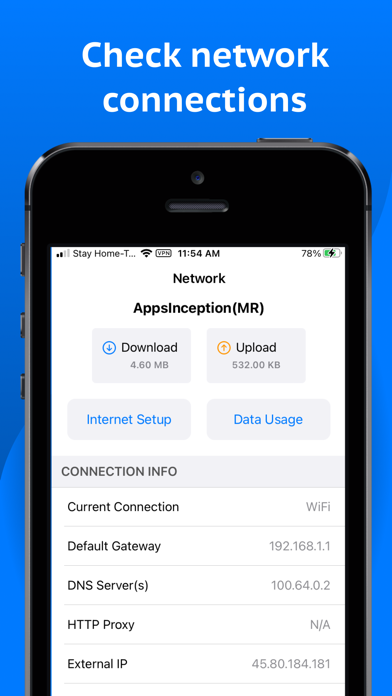
- Current connection with default gateway, HTTP Proxy, external IP, DNS server(s), ISP name
- Provides WiFi information & analysis with network details (SSID, BSSID, vendor, IP address, IPv6 address, subnet mask, broadcast, WiFi security type)
- Shows cell/mobile network information (network type, IP Address, IPv6 address, subnet mask)
- VPN and HOTSPOT Network Information
- Internet Information (AS Number, AS Name, Public Address, Hostname, Time Zone, Location with MAP)
- Monitors WiFi, cellular, vpn & hotspot data usage
- Network Interface of your device
- Real time internet speed meter
- Network routing tables
Device Discovery (LAN / IP Scanner):
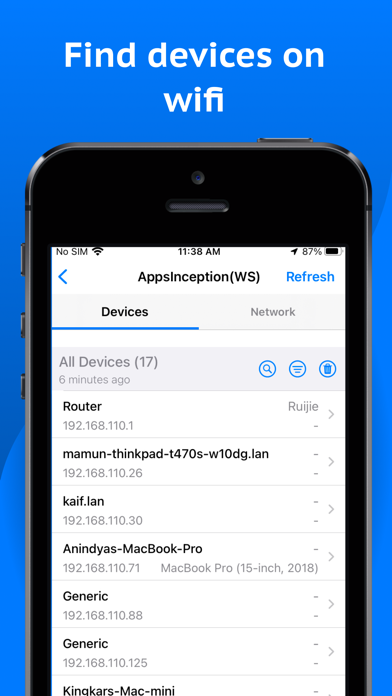
- WiFi analyzer and Scanner to detect all online devices connected to the network
- Provides IP addresses of all detected devices
- Identifies mDNS (Bonjour), netBIOS, UPnP and DNS names where available
- Conducts ping tests on discovered devices
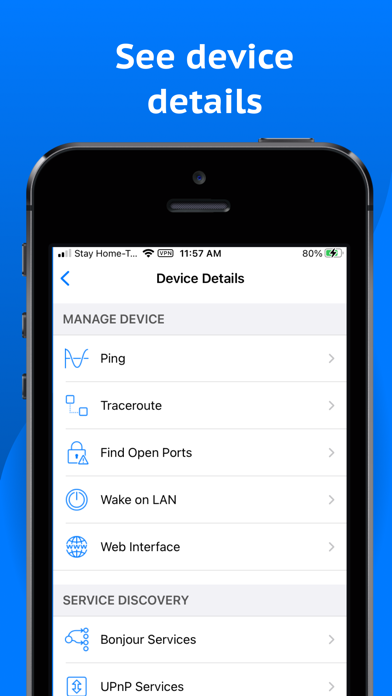
- Device details (Manage device, Local service discovery and Network details)
- WiFi Network details (Access points, Network setup)
- Discover online devices in home and office WiFi network
Network Tools:
Our advanced network tools are used to verify internet performance, improve network security, troubleshoot and monitor network and more -
- Internet speed test / WiFi speed test
- Ping
- BLE devices / Bluetooth Low Energy (BLE) Scanner
- Wake on LAN (WOL)
- Whois
- Traceroute (Including Visual Trace)
- Find open ports
- Router vulnerability
- Privacy Analyzer
- SSL Certificate Checker
- IP Address Lookup
- DNS Speed Test
- DNS Lookup (A, AAAA, CAA, MX,NS, TXT more)
- MAC Address Lookup (Including MAC address, OUI and Vendor name)
Local Service Discovery:
- Bonjour services browser
- UPnP services and device browser
*** Light/Dark appearance supported
Network Analyzer: WiFi Scanner is an essential net tools and network analyzer for anyone looking forward to managing and troubleshooting