PDF Editor, Scanner - PDFForge
PDF Editor, Scanner - PDFForge Summary
PDF Editor, Scanner - PDFForge is a ad-supported, with in-app purchases iOS app in Business by Outthinking electronics pvt ltd.. Released in Jul 2024 (1 year ago). It has 5.00 ratings with a 5.00★ (excellent) average. Based on AppGoblin estimates, it reaches roughly 18 monthly active users and generates around $<10K monthly revenue (27% IAP / 73% ads). Store metadata: updated Sep 12, 2024.
Store info: Last updated on App Store on Sep 12, 2024 .
5★
Ratings: 5.00
Screenshots



App Description
Welcome to PDFForge, your all-in-one solution for creating, editing, and managing PDF documents. Whether you’re a student, professional, or business owner, PDFForge provides a robust set of features designed to meet all your PDF needs with ease and efficiency.
Key Features:
1. PDF Creation:
• Convert images, Word documents, and other file formats into high-quality PDFs.
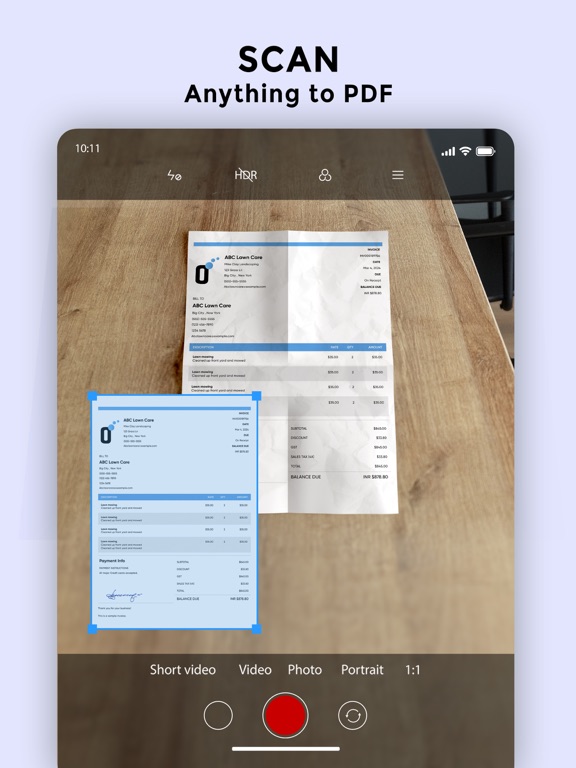
• Use your device’s camera to scan documents directly into PDF format.
2. PDF Editing:
• Add and edit text, images, and shapes in your PDFs.
• Fill out forms, annotate with comments, and highlight important sections.
• Merge multiple PDFs into a single document or split a PDF into multiple files.
3. Advanced Tools:
• Apply filters to enhance scanned documents.
• Reorder, add, or remove pages from your PDFs.
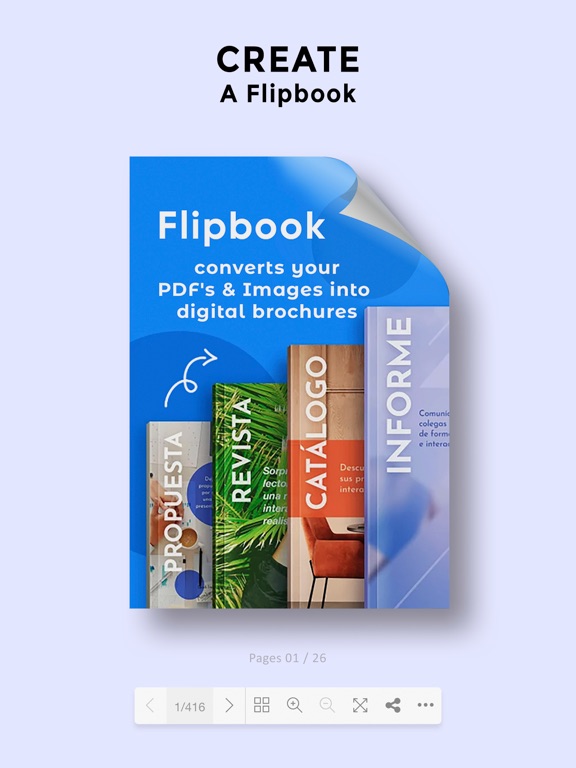
• Convert PDFs into interactive flipbooks for a dynamic reading experience.
4. Secure Your Documents:
• Protect your PDFs with passwords to ensure sensitive information remains confidential.
• Apply digital signatures to authenticate documents.
5. Seamless Sharing:
• Generate QR codes for easy sharing and access.
• Share PDFs via email, cloud services, or social media directly from the app.
6. Optimize and Customize:
• Compress PDFs to reduce file size without losing quality.
• Customize your PDFs with headers, footers, and watermarks.
7. User-Friendly Interface:
• Intuitive design and easy-to-use tools make PDFForge accessible for everyone, regardless of technical expertise.
• Enjoy a seamless experience with our responsive and visually appealing interface.
Why Choose PDFForge?
• Efficiency: Streamline your workflow with our comprehensive set of PDF tools.
• Versatility: Handle any PDF-related task, from creation to advanced editing and secure sharing.
• Accessibility: Available on all your devices, ensuring you have the power of PDFForge wherever you go.
• Support: Our dedicated support team is here to help you with any questions or issues you may encounter.
Transform how you handle PDF documents with PDFForge. Download now and experience the ultimate in PDF management and editing. Unlock your productivity potential with the power of PDFForge today!
Important Notes about subscription
• Subscriptions may be managed by the user and auto-renewal may be turned off by going to the user's Account Settings after purch