Budget Planner & Expense App

Budget Planner & Expense App Summary
Budget Planner & Expense App is a free, with in-app purchases iOS app in Finance by Stephen Kuyper. Released in Aug 2024 (2 years ago). It has 2.00 ratings with a 5.00★ (excellent) average. Based on AppGoblin estimates, it reaches roughly 25 monthly active users and generates around $<10K monthly revenue (100% IAP / 0% ads). Store last updated Aug 8, 2026
Budget Planner & Expense App SDKs Summary
App not yet scanned for SDKs.
5★
Ratings: 2.00
Screenshots

App Description
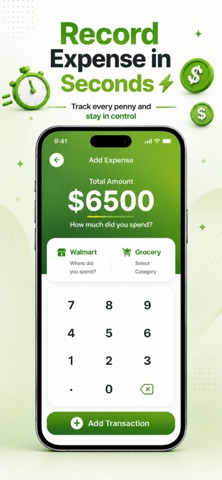
Manage your finances with ease using Budget Planner & Expense App — your smart budget planner, income and expense tracker, and bill organizer in one app. Track spending, set weekly budgets, manage bills with reminders, and keep your money management simple, clear, and stress-free.
Main Features:
• All-in-One Money Manager – Track income, expenses, and bills in one organized place.
• Custom Budget Planning – Create daily, weekly, or monthly budgets that fit your lifestyle.
• Bill Organizer & Reminders – Never miss due dates with smart notifications.
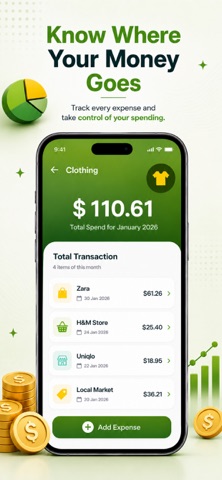
• Spending Tracker Insights – Visualize where your money goes with charts and summaries.
• Expense Categories – Organize transactions for better tracking and control.
• Multi-Period Tracking – Monitor short-term budgets or long-term financial goals.
• Simple, Intuitive Interface – Designed for quick entry and effortless navigation.
Why We Choose?
Whether you want to stop overspending, track debt, or simply stay aware of your finances, Budget Planner & Expense App helps you take control. Set goals, get timely bill reminders, and see your spending patterns clearly. From daily purchases to monthly bills, everything is logged and organized for you.
Download Budget Planner & Expense App today and start tracking your income, bills, and expenses with clarity. Plan smarter, spend wiser, and stay in control of your budget.
Subscribe to get Pro access to all features. You will be charged after the purchase confirmation. Subscriptions auto-renew 24 hours before the expiration date. You can manage your subscriptions in Account Settings on the App Store.
Privacy Policy: https://sites.google.com/view/budget-application/privacy-policy
Terms & Conditions: https://sites.google.com/view/budget-application/terms-conditions