PDF Converter -Document Editor

PDF Converter -Document Editor Summary
PDF Converter -Document Editor is a free, ad-supported, with in-app purchases iOS app in Productivity by UnitVN.,JSC. Released in Aug 2024 (2 years ago). It has 30 ratings with a 4.33★ (good) average. Based on AppGoblin estimates, it reaches roughly 122 monthly active users and generates around $<10K monthly revenue (50% IAP / 50% ads). Store last updated Sep 9, 2026
Recent activity: 1.00 new ratings this week View trends →
SDK intelligence: AppGoblin detected 7 ad networks(e.g. Google), 6 development tools, 1 analytics: product,and 1 analytics: attribution integrated into PDF Converter -Document Editor. View full SDK list →
PDF Converter -Document Editor SDKs Summary
PDF Converter -Document Editor was last scanned for SDKs on 2026-07-11. Below is the overview of third-party companies detected in the app. The full list of SDKs, permissions and unknowns is available here.
 Google
 Facebook
 AppLovin
 Unity
Unity Airbnb Engineering
 nanopb
 Alamofire
 Firebase
 Adjust
4.33★
Ratings: 30
Screenshots



App Description
Convert, annotate, sign, and summarize PDFs with AI in seconds
PDF Converter App – A powerful and easy-to-use tool that helps you edit, convert, and manage PDF documents quickly and efficiently.
Key features of the app:
PDF CONVERTER
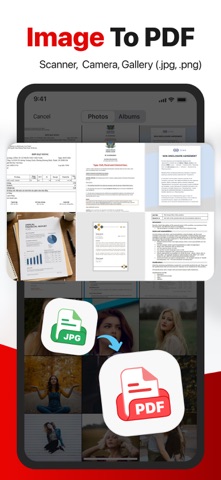
• Image to PDF: Instantly convert photos, receipts, or ID cards into high-quality PDFs with a single tap.
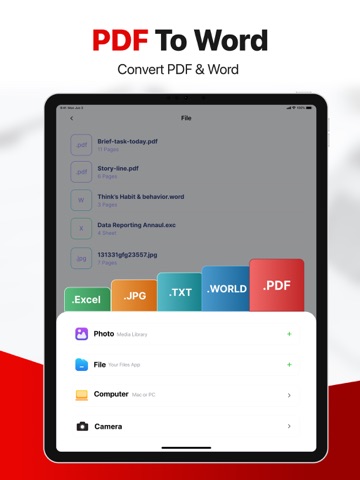
• Convert PDF to Word and vice versa: Convenient when you need to edit a Word file but only have a PDF version, or when you want to convert a Word document into a PDF.
• JPG to PDF: Easily convert document images into PDF format.
• MS Office Converter: Convert Word, Excel, and PowerPoint files into high-quality PDFs . You can also convert PDFs back into editable Office formats (Word, Excel, PowerPoint).
• Extract images from PDF: Extract high-quality images from PDFs or convert your own images into one or multiple PDFs.
AI CHAT PDF
• Chat with any PDF: Ask questions and get instant answers from your document — an AI assistant built for your PDFs.
• Summarize & explain: Turn long reports, contracts, or research papers into clear summaries and key points in seconds.
• Multi-file chat: Chat across multiple PDFs in one conversation to compare and connect information.
QUICK SCAN
• iPhone & iPad Scanner: Quickly capture images of documents, receipts, or any printed material and save them as PDFs. Supports multi-page PDFs for longer documents.
• Text Recognition (OCR): Convert any scanned image or document into highly accurate text.
PDF EDITOR
• Annotate PDF: Highlight, comment, draw, or insert images into your PDFs. Choose from various annotation formats to fit your needs.
• Fill out and sign forms: Fill out and sign PDF forms easily with your finger or stylus.
• PDF Reader: View, edit, and organize PDFs stored on your device or in the cloud.
OPTIMIZE, ORGANIZE, AND SECURE DOCUMENTS
• Compress PDF: Reduce file size while maintaining your document quality.
• Merge PDF: Combine multiple PDFs into a single, organized document.
• Split PDF: Extract specific pages from your PDF or split large documents into smaller, more manageable files.
• Rotate PDF: Rotate individual pages and adjust their alignment within your document.
• Secure PDF: Add or remove password protection from your PDFs for enhanced security.
• Add page numbers: Customize page numbers in your PDF with options