Presently: Present Media,Timer

Presently: Present Media,Timer Summary
Presently: Present Media,Timer is a mobile iOS app in Productivity by Karmjit Singh. Released in Aug 2025 (9 months ago). It has 2.00 ratings with a 5.00★ (excellent) average. Based on AppGoblin estimates, it reaches roughly 6.00 monthly active users . Store metadata: updated Aug 18, 2025.
Store info: Last updated on App Store on Aug 18, 2025 .
5★
Ratings: 2.00
Screenshots


App Description
A clean, modern controller for running engaging workshops and presentations. Build a compelling on‑screen experience by combining your media, timed segments, and music—then project it to an external display with beautifully scaled typography and smooth transitions.
Bring order and energy to any session: welcome your audience, run slideshows, keep segments on time, and set the vibe with Apple Music—directly from your iPhone or iPad.
Key features
1. External display presentation: Automatically renders a polished presentation on an external screen with adaptive layout and crisp typography.
2. Media slideshow: Mix images and videos, highlight the current item, and navigate with play/pause and previous/next controls.
3. Adjustable slideshow timing: Auto‑advance with a customizable interval or take full manual control.
4. Video playback options: Seamless transitions and an optional loop/repeat toggle for continuous playback.
5. Title and welcome message: Set a prominent title and message that sit over your media with excellent readability.
6. Font customization: Choose font family, size scale, weight, and color for both title and message with a live preview.
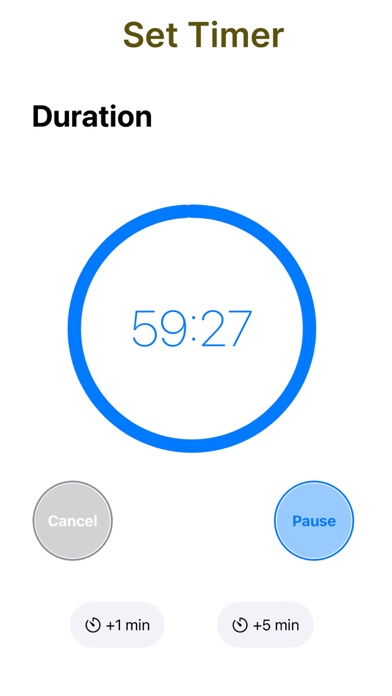
7. Single timer: Start a focused countdown with quick presets and on‑the‑fly adjustments.
8. Multiple timers: Create and manage several named timers at once, each with clear progress and state.
9. Apple Music integration: Select a playlist, view artwork, and control playback (play/pause, previous/next) from within the app.
10. First‑launch guide: A quick walkthrough to get you presenting fast.
11. Apple Music: Playback requires Apple Music authorization. An active Apple Music subscription may be required for full functionality.
Terms of Use: https://presently.karmaacademy.com.au/terms.html
Privacy Policy: https://presently.karmaacademy.com.au/privacy.html