iWatch PDF

iWatch PDF Summary
iWatch PDF is a free, with in-app purchases iOS app in Education by Kalyani Bhimavarapu. Released in Mar 2024 (2 years ago). It has 131 ratings with a 4.13★ (good) average. Based on AppGoblin estimates, it reaches roughly 162 monthly active users and generates around $<10K monthly revenue (100% IAP / 0% ads). Store last updated Jun 3, 2026
Recent activity: 1.00 new ratings this week View trends →
SDK intelligence: AppGoblin detected 3 development tools(e.g. Google), 2 ad networks, 1 analytics: product,and 1 business tools integrated into iWatch PDF. View full SDK list →
iWatch PDF SDKs Summary
iWatch PDF was last scanned for SDKs on 2026-07-20. Below is the overview of third-party companies detected in the app. The full list of SDKs, permissions and unknowns is available here.
 Firebase
 Facebook
 Google
 OpenID
 nanopb
 RevenueCat
4.13★
Ratings: 131
Screenshots




App Description
iWatch PDF — PDF Viewer for Apple Watch
Your PDFs, everywhere. On iPhone, iPad, and Apple Watch.
Create & Import PDFs
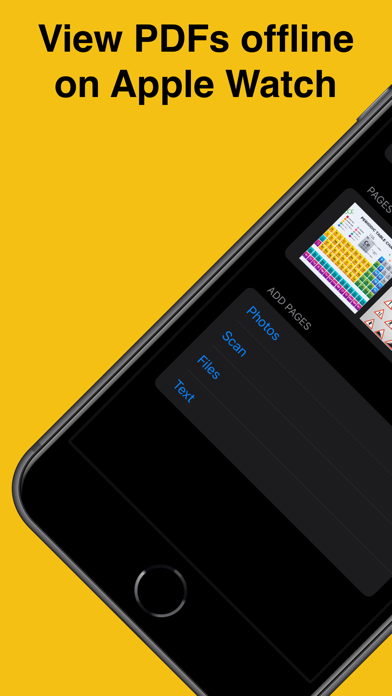
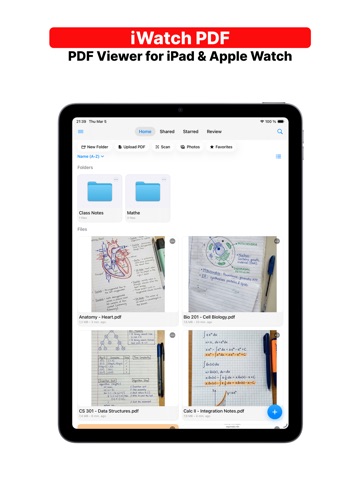
Use the built-in scanner to create PDFs from photos and camera scans. Import existing PDFs from your Files app. Simple and quick.
Cloud Sync — No Cables, No Hassle
Sign in with Apple or Google and your PDFs sync across all your devices automatically. Everything is stored securely in the cloud.
Apple Watch — Read PDFs on Your Wrist
Browse your full library right on Apple Watch. View multi-page PDFs offline, zoom in with the Digital Crown, and search for text — all without your iPhone nearby.
Organize Your Way
Create folders to keep things tidy. Add tags to group related PDFs. Star your favorites for quick access.
Follow-up Reminders
Schedule a review date for any PDF — tomorrow, next week, or pick a custom date. Get notified when it's time to revisit.
Share with Friends & Classmates
Send a PDF to a friend or classmate by email. They get read-only access instantly — no signup needed on their end.
Works Offline
Save PDFs to your device for offline access. Your documents are always available, even without internet.
Please make sure the Watch app is installed on your Apple Watch before syncing. Check out our instruction videos for troubleshooting with file transfers.
Privacy Policy — https://iwatch-pdf.web.app/privacypolicy.html
Terms of Use — https://iwatch-pdf.web.app/terms.html
For any questions or inquiries, get in touch: lokireddy.apps@gmail.com