Control Panel for YouTube

Control Panel for YouTube Summary
Control Panel for YouTube is a mobile iOS app in Productivity by J BUCHANAN & L.J BUCHANAN. Released in Feb 2024 (2 years ago). It has 33 ratings with a 4.09★ (good) average. Based on AppGoblin estimates, it reaches roughly 128 monthly active users . Store metadata: updated May 22, 2026.
Store info: Last updated on App Store on May 22, 2026 .
4.09★
Ratings: 33
Screenshots


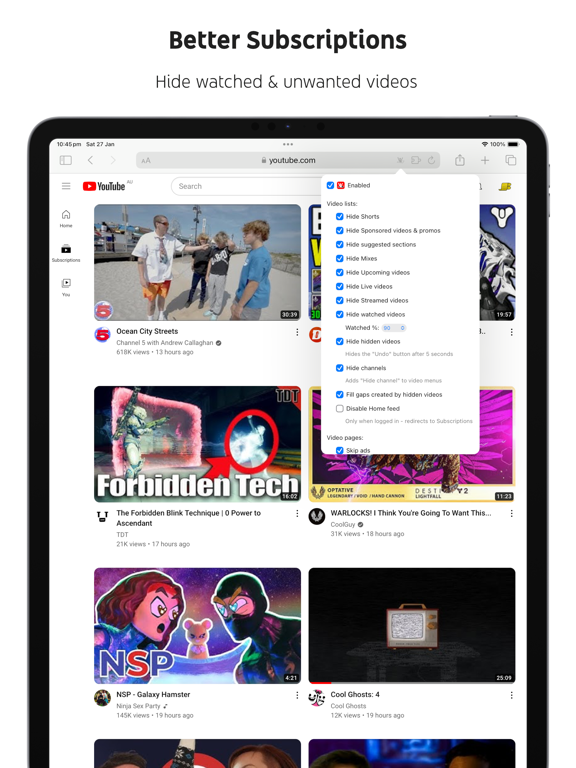
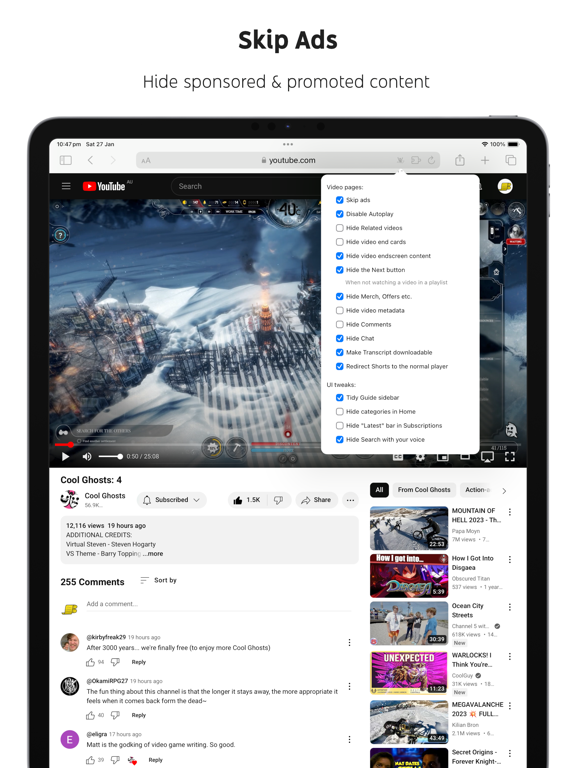

App Description
Ads:
• Block ads
• Hide Sponsored videos & promos
• Hide Merch, Offers etc. (desktop version)
YouTube experiments:
• Restore Subscriptions link in sidebar (desktop version)
• Restore order of sidebar items (desktop version)
• Restore small thumbnails in Related (desktop version)
• Restore "Upload date" search filter (desktop version)
New video player UI:
• Disable new progress bar and controls (desktop version) - Note: this will stop working when YouTube removes the old player UI
• Hide new full screen controls
• Hide "More videos" in full screen
• Always use compact Play button (desktop version)
• Remove background from controls (desktop version)
• Restore Miniplayer button (desktop version)
• Restore corner click to toggle full screen (desktop version)
• Hide full screen title (desktop version)
• Hide full screen like/dislike buttons (desktop version)
Annoyances:
• Hide AI summaries
• Remove pink gradient from progress bars
• Hide information panels
• Hide Premium upsells
• Disable video previews (desktop version)
• Disable themed hover effects (desktop version)
• Automatically pause channel trailers (desktop version)
• Allow background playback (mobile version)
• Hide Open App links (mobile version)
Video lists:
• Hide suggested sections
• Hide Live videos
• Hide Streamed videos
• Hide Mixes
• Hide Playlists
• Hide Movies and TV
• Hide Upcoming videos
• Hide Members only videos
• Hide Collaborations in Subscriptions
• Hide Auto-dubbed videos in Related
• Hide watched videos
• Hide hidden videos - Hides the "Undo" button after 5 seconds
• Hide channels - Adds "Hide channel" to video menus
• Disable Home feed
• Search thumbnail size (desktop version)
• Minimum grid items per row (desktop version)
• Hide Posts in Home (mobile version)
Video pages:
• Disable Autoplay
• Disable Ambient mode
• Hide Related videos
• Hide the Next button
• Hide channel watermark
• Hide Share/Thanks/Clip etc.
• Hide Ask button
• Hide video metadata
• Hide Comments
• Always use theater mode (desktop version)
• Full size theater mode (desktop version)
• Disable enlarged UI in theater mode (desktop version)
• Always use original audio (desktop version)
• Hide video end cards (desktop version)
• Hide video endscreen content (desktop version)
• Hide Premium Jum