Screenshot Link Bio & Manager

Screenshot Link Bio & Manager Summary
Screenshot Link Bio & Manager is a free, ad-supported, with in-app purchases iOS app in Tools by Burak Gomec. Released in Mar 2024 (2 years ago). It has 12 ratings with a 4.67★ (excellent) average. Based on AppGoblin estimates, it reaches roughly 38 monthly active users and generates around $<10K monthly revenue (22% IAP / 78% ads). Store last updated Aug 8, 2024
Screenshot Link Bio & Manager SDKs Summary
App not yet scanned for SDKs.
4.67★
Ratings: 12
Screenshots


App Description
Have you ever captured fun user profiles on X, Instagram, TikTok, Facebook, and Reddit, only to lose them in your chaotic photo library?
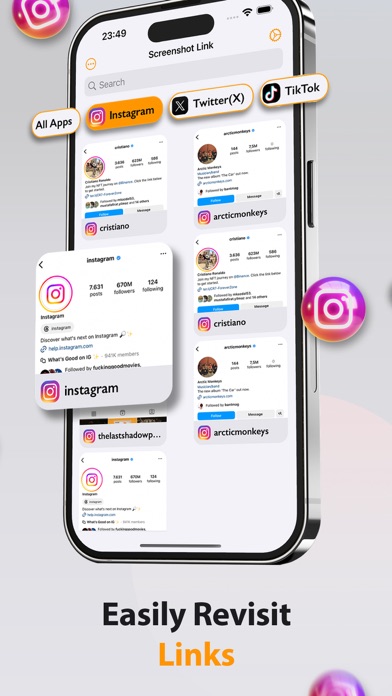
Screenshot Link scans through all your screenshots of social media profiles and turns them into links.
This means that you can finally save all those creators as contact links and further sort them by the social media they post on.
Whether you are a social media manager, marketer, or professional that wants to network, or simply want to organize your phone, Screenshot Link is your easy screenshot organizer.
■ AUTO SCAN & LINK
Screenshot Link automatically scans all your screenshots with a tap. Then it turns the social media screenshots into a searchable list with links.
■ ORGANIZE
Easily manage and organize your social media screenshots into folders. Separate them into categories such as professional industries, and niches.
■ VIEW BY SOCIAL MEDIA
Filter your contact profiles by social media and easily access them in seconds.
■ SORT
Easily sort your screenshots by name, date, and app.
■ DECLUTTER
All your social media screenshots will be saved here. Meaning you can delete them from your photo library. Save storage and remove the mess!
Have links to profiles and contacts in one place. No need to bookmark or follow creators on separate apps and create a further mess.
Terms of Use: https://www.apple.com/legal/internet-services/itunes/dev/stdeula/
► Download and use the Screenshot Link for FREE.