Hours: Time Log & Work Tracker

Hours: Time Log & Work Tracker Summary
Hours: Time Log & Work Tracker is a free, with in-app purchases iOS app in Productivity by 筱彤 余. Released in Apr 2024 (2 years ago). It has 17 ratings with a 4.88★ (excellent) average. Based on AppGoblin estimates, it reaches roughly 49 monthly active users and generates around $<10K monthly revenue (100% IAP / 0% ads). Store last updated Jul 15, 2026
Hours: Time Log & Work Tracker SDKs Summary
App not yet scanned for SDKs.
4.88★
Ratings: 17
Screenshots



App Description
Hours: A Powerful Time Management and Efficiency Tool
Hours is a comprehensive app designed to empower you with complete control over your time, enabling you to enhance both your work productivity and quality of life. With its sleek and intuitive interface, Hours allows you to effortlessly log your time and gain valuable insights into your time utilization.
Key Features:
- Streamlined and intuitive interface
- Customizable goal events
- Effortless time logging
- Efficient tracking with timers and the Pomodoro technique
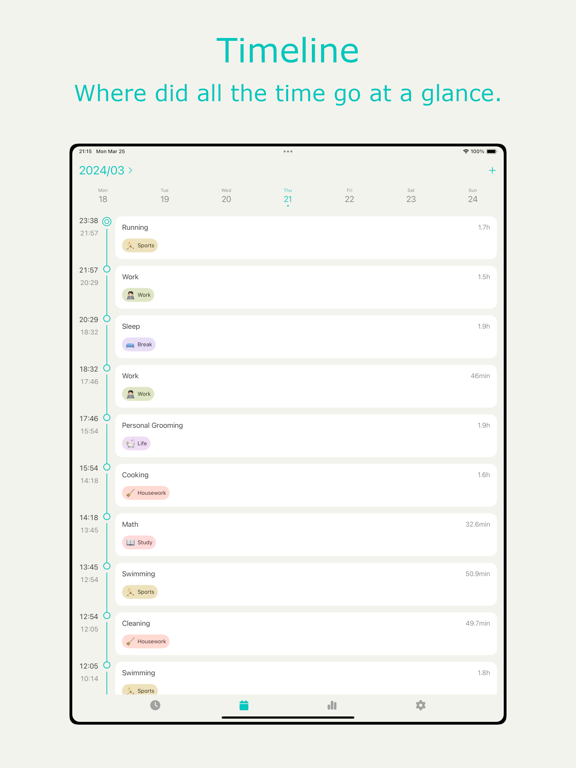
- Timeline to track every moment
- Robust charts for comprehensive analysis
- Personalized settings
Whether you are a professional, freelancer, or student, Hours will serve as your reliable assistant for efficient time management and improved work productivity. Start tracking your time now and experience a more organized and effective lifestyle!
Payments and Renewal:
After confirming the purchase, your Apple account will be charged, and the subscription will be automatically renewed if you purchase a monthly or yearly subscription, your Apple account will be charged 24 hours before the expiration date, and the subscription cycle will be postponed to the next subscription cycle after the successful deduction of the charge.
If you want to cancel the automatic subscription, please turn off the auto-renewal function 24 hours before the end of the current subscription cycle. You can cancel your subscription by going to "Settings" --> click "Apple ID", click "Subscribe" and select "Hours" to unsubscribe.
If the recharge does not arrive, please send your Apple ID and debit voucher to dev@bapaws.com.
Terms of Service: https://privacy.bapaws.com/calendar/terms.html.
Privacy Policy: https://privacy.bapaws.com/calendar/privacy.html.
If you have any suggestions, welcome to chat with us.
E-mail: dev@bapaws.com