Secret Notepad with Password
Secret Notepad with Password Summary
Secret Notepad with Password is a ad-supported, with in-app purchases iOS app in Tools by manabu ueda. Released in Apr 2024 (2 years ago). It has 9.00 ratings with a 4.67★ (excellent) average. Based on AppGoblin estimates, it reaches roughly 44 monthly active users and generates around $<10K monthly revenue (44% IAP / 56% ads). Store metadata: updated Jun 2, 2026.
Recent activity: 1.00 new ratings this week View trends →
Store info: Last updated on App Store on Jun 2, 2026 .
4.67★
Ratings: 9.00
Screenshots


App Description
Got notes you'd rather keep to yourself?
This app is a private notes app that keeps your secrets safe with a password and biometric authentication. While you're writing, the screen is blurred so no one nearby can read what you're typing. Set a simple numeric PIN or a complex alphanumeric password — whichever you prefer — and unlock it in an instant with Face ID or Touch ID.
You can also attach photos directly to your notes. Pick from your photo library or take a shot right there on the spot. Photos taken inside the app are never saved to your camera roll, so even the most sensitive images stay locked away inside your notes.
Photos and notes, all in one place
・Attach photos from your photo library
・Take a photo on the spot and insert it instantly
・Photos taken in the app are not saved to your camera roll
・Blur is applied to attached photos too, keeping them private
・Tap a photo to view it full screen
Privacy and protection you can count on
・Face ID, Touch ID, and iOS passcode support
・Set anything from a simple numeric PIN to a complex alphanumeric password — change it anytime
・Password entry is hidden from view so no one can peek
・Blur the screen while writing; adjust the intensity with a simple slider
Write with ease, find in a flash
・Undo and redo support — fix mistakes in a tap
・No limit on the number of notes
・Wide range of fonts and text sizes; Dynamic Type supported for comfortable reading
・Sort by last edited, created date, or title; manual ordering available
・Search to find any note quickly
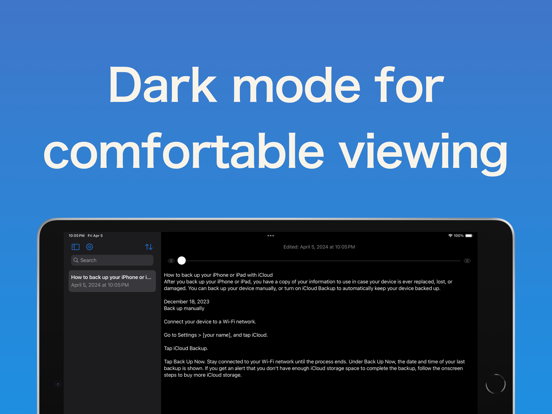
・Dark mode supported
・Optimized for the larger iPad display