BoldSign: Sign Docs & Request

BoldSign: Sign Docs & Request Summary
BoldSign: Sign Docs & Request is a free, with in-app purchases iOS app in Business by Syncfusion Inc.. Released in Mar 2025 (1 year ago). It has 24 ratings with a 4.82★ (excellent) average. Based on AppGoblin estimates, it reaches roughly 117 monthly active users and generates around $<10K monthly revenue (100% IAP / 0% ads). Store last updated Sep 17, 2026
SDK intelligence: AppGoblin detected 5 development tools(e.g. SDWebImage),and 1 analytics: product integrated into BoldSign: Sign Docs & Request. View full SDK list →
BoldSign: Sign Docs & Request SDKs Summary
BoldSign: Sign Docs & Request was last scanned for SDKs on 2026-05-10. Below is the overview of third-party companies detected in the app. The full list of SDKs, permissions and unknowns is available here.
 Firebase
 SDWebImage
 Google
 Flutter
 Sentry.io
4.82★
Ratings: 24
Screenshots



App Description
BoldSign is a complete solution for collecting legally binding eSignatures online from any device using web/mobile apps and a robust API. Get all your contracts signed in record time with an enterprise-grade app, packed with features at an affordable price. Our free plan lets you get up to 300 documents signed for free every year.
The BoldSign mobile app complements our web application, seamlessly allowing you to upload PDFs, assign signature/data collection fields, and send documents out for signature. The field editor offers the best-in-class experience that lets you configure even the most complex documents on mobile devices.
Here are some of the key highlights of the BoldSign mobile app:
• Self-sign or request for signatures: Upload PDF, Word, Excel, or image files, insert required signature/data fields, then self-sign or request signatures from others.
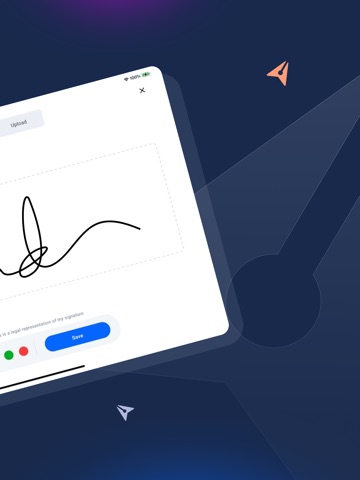
• Collect In-Person signatures: The mobile app makes it very easy to collect signatures in person when on the field.
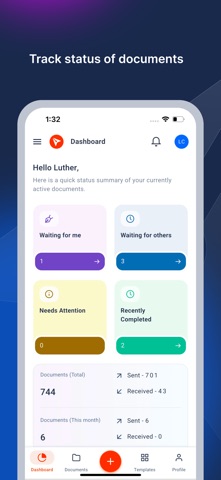
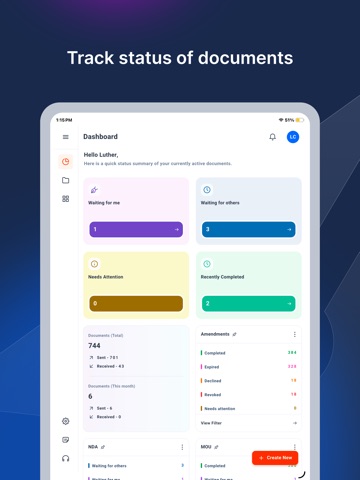
• Track Status: Easily track your signature requests, organize documents, and perform actions like sending reminders, revoking, reassigning, and declining.
• Legally Binding: Compliant with U.S. (ESIGN) and international (eIDAS) eSignature laws. BoldSign records all major activities, provides an audit trail report, and digitally signs the final document.
• Security and Compliance: Certified with SOC 2®, GDPR, HIPAA, and PCI DSS. BoldSign maintains rigorous security and data protection to safeguard your privacy.
Additional features:
• Send signature requests using pre-configured document templates
• Add authentication for signers (Access code, Email OTP)
• Configure document expiration and expiry alerts
• Change the signing order
• Configure complex workflows with multiple recipients and various roles (Signer, reviewer, in-person signer)
• Filter and sort documents
• Pin filters to the dashboard
• View and track Team documents
• Access entire document info and history
• Save and reuse signatures
• Download completed documents and audit logs
• In-app notifications
Subscriptions:
• Business Yearly: Yearly auto-renewing subscription $179.99(USD)
• Growth Yearly: Yearly auto-renewing subscription $59.99(USD)
• Business Monthly: Monthly auto-renewing subscription $24.99(USD)
• Growth Monthly: Monthly auto-renewing subscription $14.99(USD)
Plan bene