AdGuard Mail & Temp Mail

AdGuard Mail & Temp Mail Summary
AdGuard Mail & Temp Mail is a free, with in-app purchases iOS app in Productivity by Adguard Software Limited. Released in Nov 2024 (1 year ago). It has 254 ratings with a 4.67★ (excellent) average. Based on AppGoblin estimates, it reaches roughly 735 monthly active users and generates around $<10K monthly revenue (100% IAP / 0% ads). Store last updated Sep 10, 2026
Recent activity: 1.00 new ratings this week View trends →
SDK intelligence: AppGoblin detected 6 development tools(e.g. Google),and 1 analytics: product integrated into AdGuard Mail & Temp Mail. View full SDK list →
AdGuard Mail & Temp Mail SDKs Summary
AdGuard Mail & Temp Mail was last scanned for SDKs on 2026-07-10. Below is the overview of third-party companies detected in the app. The full list of SDKs, permissions and unknowns is available here.
 Google
 Sentry.io
 Airbnb Engineering
 Flutter
 Firebase
4.67★
Ratings: 254
Screenshots



App Description
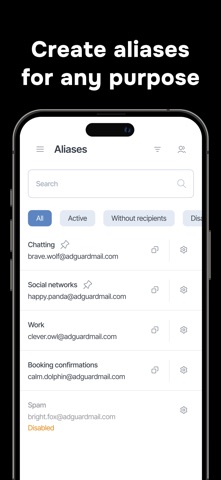
AdGuard Mail is a service that allows you to receive emails without revealing your personal email address to the sender.
Our service provides you with everything you need to protect your mail:
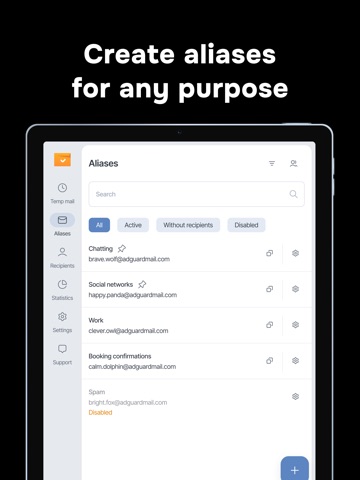
- Aliases for email forwarding
- Temporary email addresses for short-term communications
From the industry leader with over 15 years of experience in user privacy tools and services.
With AdGuard Mail you can:
* Create aliases
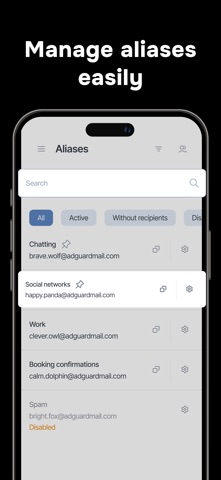
* Manage your email subscriptions
* Use temporary email addresses
Why use AdGuard Mail?
1. Receive email anonymously
2. Control email forwarding
3. Avoid spam in your main inbox
4. Protect your privacy
5. Prevent tracking
1. Receive email anonymously: Use aliases to receive email anonymously instead of exposing your primary email address. This method allows you to subscribe to services or share your contact information with people or organizations you don’t fully trust without revealing your real email address. Email sent to these aliases is seamlessly forwarded to your primary inbox, keeping your personal address private and reducing the risk of spam and unwanted communication. By using aliases, you can maintain your privacy while securely and efficiently managing multiple interactions.
2. Control email forwarding: If you start receiving spam or unwanted email at a specific alias, you can simply disable it to prevent further messages from being forwarded to your main inbox. This feature helps maintain a clean, organized email setup. By disabling problematic aliases, you can prevent spam from cluttering your inbox and ensure that only relevant and trusted email reaches you. It helps protect your primary email address from any kind of unwanted messages.
3. Avoid spam in your main inbox: Use temporary email addresses for quick online interactions. When you sign up for free trials, receive promotional codes, or participate in online forums, choose a disposable email address instead of your primary email address. This approach keeps your primary inbox uncluttered and protected from potential spam. Temporary email addresses provide a secure way to handle short-term interactions without compromising the integrity of your primary email. In addition, all messages to these temporary addresses are sent directly to your inbox in AdGuard Mail. Unlike aliases, Temp Mail allows you to quickly manage your email subscriptions without having to switch