Speech to Text – Voice Typing

Speech to Text – Voice Typing Summary
Speech to Text – Voice Typing is a with in-app purchases iOS app in Tools by PaoApps. Released in Jul 2024 (1 year ago). It has 643 ratings with a 4.64★ (excellent) average. Based on AppGoblin estimates, it reaches roughly 2.5K monthly active users and generates around $<10K monthly revenue (100% IAP / 0% ads). Store metadata: updated Jun 16, 2026.
Recent activity: 2.00 new ratings this week View trends →
Store info: Last updated on App Store on Jun 16, 2026 .
4.64★
Ratings: 643
Screenshots

App Description
Speech to Text – Voice Typing
The Ultimate App to Convert Speech into Text with AI-Powered Accuracy
Easily convert voice to text, transcribe audio and video files, and type using your voice with Speech to Text – Voice Typing, your all-in-one transcription and productivity assistant. Whether you need to transcribe interviews, meetings, lectures, voice notes, or videos, our advanced AI ensures fast, accurate, and multilingual transcription – anytime, anywhere.
Why Choose Speech to Text – Voice Typing
• Voice Typing in Real Time
Type with your voice in any situation — emails, notes, messages, or documents. Just speak, and watch your words appear instantly. Perfect for hands-free productivity and accessibility.
• Accurate AI-Powered Transcription
Delivers highly accurate speech-to-text results using advanced artificial intelligence, even in noisy environments or with diverse accents.
• Live Voice-to-Text Transcription
Real-time transcription for meetings, lectures, and conferences. Ideal for note-taking and live captioning.
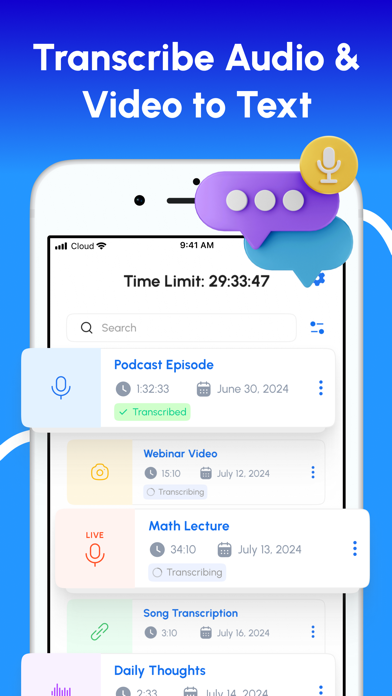
• Transcribe Audio and Video Files
Upload audio or video from your device or use a link. Supports formats like MP3, WAV, M4A, and more.
• Voice Memo Transcription
Turn voice memos into text in seconds. Great for capturing personal notes or conducting interviews.
• Transcription from URLs
Transcribe audio and video directly from online sources such as YouTube and podcasts.
• Speaker Identification
Automatically distinguishes between speakers for clean, structured transcripts.
• Multi-Language Support and Translation
Transcribe speech in over 90 languages and dialects, and translate non-English audio into English.
• Transcript Editing and Customization
Rename speakers, format text, and prepare transcripts for sharing or publication.
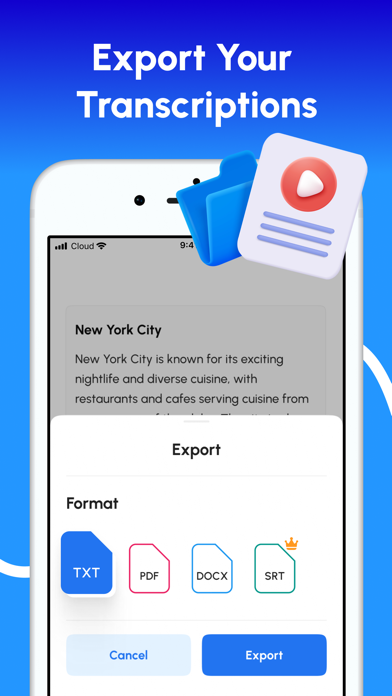
• Export Options
Save transcripts as TXT, PDF, DOCX, or SRT for easy sharing, editing, or subtitle generation.
• Ad-Free Experience
Work without interruptions or distractions.
Use Cases
• Voice-type emails, notes, and documents
• Transcribe meetings and business calls
• Generate subtitles for videos
• Convert lectures and lessons into notes
• Document voice recordings automatically
• Enable live captions for accessibility
• Translate international content
• Save time with hands-free typing and automated transcription
Download Speech to Text – Voice Typi