WIFI Analyzer - DNS Speed Test

WIFI Analyzer - DNS Speed Test Summary
WIFI Analyzer - DNS Speed Test is a free, with in-app purchases iOS app in Developer Tools by Phan Nhut. Released in Jun 2024 (2 years ago). It has 342 ratings with a 4.39★ (good) average. Based on AppGoblin estimates, it reaches roughly 846 monthly active users and generates around $<10K monthly revenue (100% IAP / 0% ads). Store last updated Sep 21, 2026
WIFI Analyzer - DNS Speed Test SDKs Summary
App not yet scanned for SDKs.
4.39★
Ratings: 342
Screenshots


App Description
WIFI Analyzer - DNS SpeedTest (also known as Net Analyzer - Network Scanner) is an easy-to-use tool for checking and analyzing your network. This app provides all the essential features like traceroute, port scanner, Wake-on-LAN, and Bluetooth Finder.
Key Features:
• Network Information:
→ See details about your current network, including SSID, BSSID, IP address, subnet mask, gateway, external IP address, DNS servers, and more.
• DNS Speed Test (supports DoH and DoT):
→ Measures and compares the response times of different DNS servers.
→ Helps you find the fastest server for better network performance.
• Speed Checker:
→ Measures your network’s upload and download speeds.
→ Shows your connection’s performance in real time.
• Bonjour Service Browser:
→ Lists all Bonjour services on your wireless network.
• Wake-on-LAN:
→ Wake up devices on your network.
→ Can remember MAC addresses for easier device management.
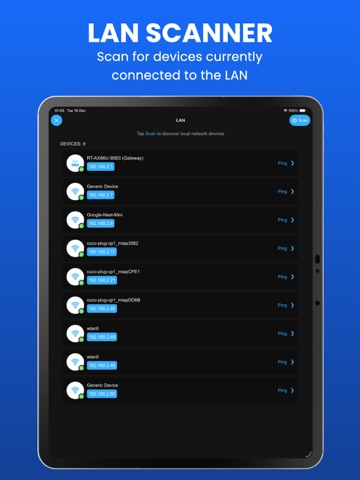
• LAN Scanner:
→ Scan your local network (LAN) to find all connected devices.
• Ping Test:
→ Measures the round-trip time (RTT) to any website or IP address.
• DNS Lookup (supports DoH and DoT):
→ Look up domain names to find their IP addresses.
→ Shows detailed DNS records like SOA, A, AAAA, MX, NS, TXT, NAPTR, CAA, and more.
• Port Scanner:
→ Check any website or IP address for open ports.
• Traceroute:
→ Trace the route packets take to reach a destination.
→ Helps identify network bottlenecks and latency issues.
• Bluetooth Scanner:
→ Discover nearby Bluetooth devices.
→ See details like device name, signal strength, distance, RSSI, and more.
• iOS 14 Home Widget:
→ Use a widget to see network information directly on your Home Screen.
• Thank you for choosing our app!