NiN10: Nintendo Emulator

NiN10: Nintendo Emulator Summary
NiN10: Nintendo Emulator is a free, with in-app purchases iOS app in Entertainment by Enrique Enguix. Released in Jun 2024 (2 years ago). It has 25 ratings with a 4.00★ (good) average. Based on AppGoblin estimates, it reaches roughly 83 monthly active users and generates around $<10K monthly revenue (100% IAP / 0% ads). Store last updated Aug 30, 2026
NiN10: Nintendo Emulator SDKs Summary
App not yet scanned for SDKs.
4★
Ratings: 25
Screenshots


App Description
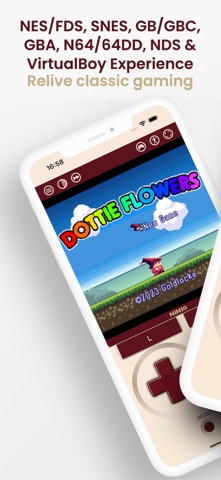
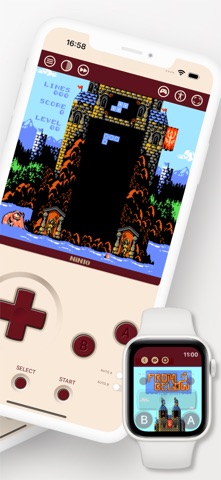
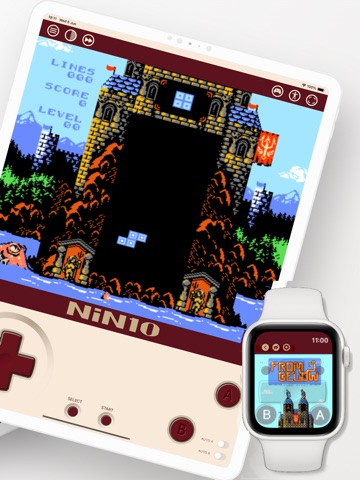
Relive the nostalgia of classic NES, Famicom Disk System, SuperNES, Game Boy, Game Boy Color, Game Boy Advance, Nintendo 64/64DD, Nintendo DS, Virtual Boy gaming on your iOS device (iPhone/iPad/Apple Watch) with NiN10, our NES/Famicom Disk System/SuperNES/Game Boy/Game Boy Color/Game Boy Advance/Nintendo 64/Nintendo DS/Virtual Boy Emulator.
Key Features:
· High Compatibility: Enjoy a vast library of NES, Famicom Disk System, SuperNES, Game Boy, Game Boy Color, Game Boy Advance, Nintendo 64/64DD, Nintendo DS and Virtual Boy titles using .nes, .fds, .smc, .sfc, .gb, .gbc, .gba, .n64, .z64, .v64, .nds, .n64dd, .ndd, .d64, .vb and .zip file formats. Users are responsible for ensuring that any ROMs they use are legally obtained.
· Intuitive Design: Enjoy a user-friendly interface designed for easy navigation and seamless gameplay for both portrait and landscape orientations.
· Simplified Experience: Immerse yourself in retro gaming without the clutter of internet connections.
· Bluetooth Compatibility: Dive into timeless favorites with seamless compatibility for Bluetooth controllers.
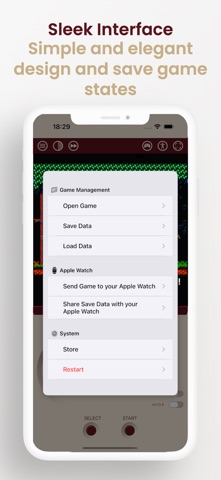
· Save States: Save and load game states easily.
· Auto-fire: Added switches to enable auto-fire for the A and B buttons.
· Customizable button layouts: Edit the button positions for each orientation and enjoy full compatibility with shells like GAMEBABY and PlayCase.
· Compact Size: With minimal storage requirements, NiN10 won't weigh down your device.
· Privacy Assurance: Rest easy knowing your information remains secure, as NiN10 doesn't save any user data.
· Gesture Recognition: Allow users to use facial expressions as buttons to enhance accessibility for those with disabilities. Current gestures include head rotation, eye tracking, left and right eye winking, eyebrow raising, and mouth opening. For better gesture recognition, make sure to be in a well-lit area, have the camera properly framed to your face, and try to keep it steady for accurate detection.
· Voice Recognition: Control gameplay actions and button presses using your voice.
· OCR: Reads on-screen game text aloud, with optional voice translation.
· Screen filters: Enjoy a more authentic and customizable retro experience with CRT and scanline filters.
· Fast forward: Speed through gameplay with the new fast forward mode.
Relive the magic of NES, Famicom Disk System, SuperNES, Game Boy, G