Live Earth Camera: Street View

Live Earth Camera: Street View Summary
Live Earth Camera: Street View is a free, ad-supported, with in-app purchases iOS app in Maps And Navigation by 旖琳 张. Released in Jul 2024 (2 years ago). It has 58 ratings with a 4.41★ (good) average. Based on AppGoblin estimates, it reaches roughly 198 monthly active users and generates around $<10K monthly revenue (48% IAP / 52% ads). Store last updated Jun 25, 2026
Recent activity: 1.00 new ratings this week View trends →
SDK intelligence: AppGoblin detected 8 ad networks(e.g. AppLovin), 6 development tools,and 1 analytics: product integrated into Live Earth Camera: Street View. View full SDK list →
Live Earth Camera: Street View SDKs Summary
Live Earth Camera: Street View was last scanned for SDKs on 2026-06-08. Below is the overview of third-party companies detected in the app. The full list of SDKs, permissions and unknowns is available here.
 nanopb
 Google
 SDWebImage
 Reachability
 AppLovin
 AdMob
AdMob Snap
Snap Unity
Unity Firebase
4.41★
Ratings: 58
Screenshots
App Description
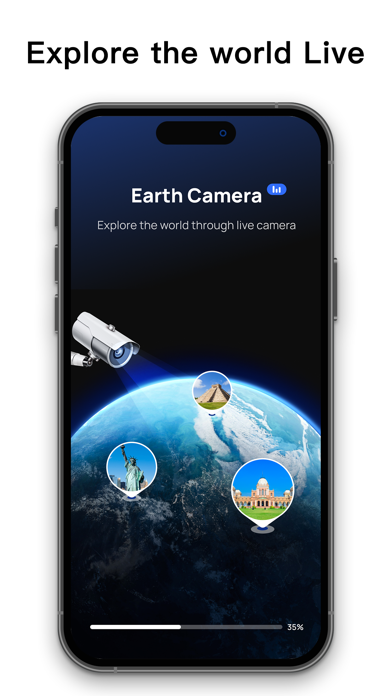
Check out the world with Live Earth Cam: Street View. See live street views from anywhere around the globe. Whether you’re chilling at home or out and about, you can explore the world with just a tap!
Discover with Live Cameras
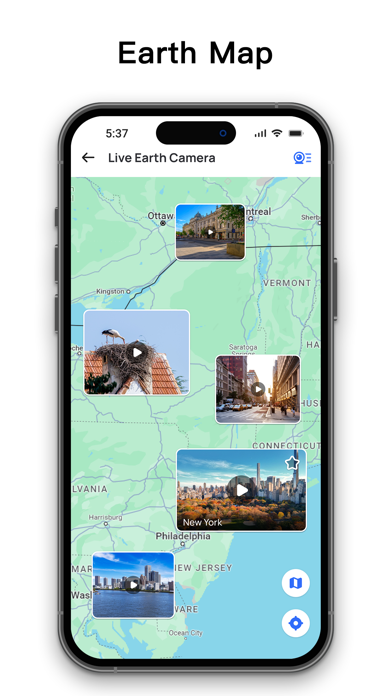
Dive into a variety of live cameras. Whether you’re into city vibes, nature scenes, or even wildlife, Live Earth Cam has something for everyone.
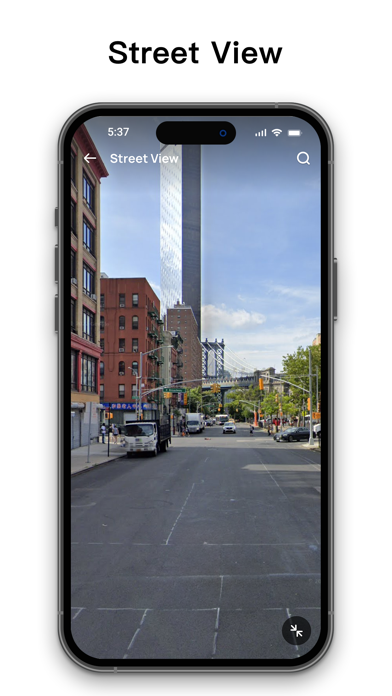
Live Street View
Curious about what life looks like in other places? Take a virtual stroll through cities like a local and discover new spots.
Travel Tips
Planning your next trip? Use Live Earth Cam for real-time views and handy travel tips. Plan smarter and make your adventures even more fun.
Top Destinations
Search by category to find the live cams that interest you most. Start exploring fresh perspectives today!
Satellite 3D Maps
Pick your favorite map style! Switch to satellite maps for an awesome 3D view. Live Earth Map lets you see the world in a whole new way.
Download Live Earth Cam now and kick off a new adventure. Live feeds and street views are updated regularly. Got questions or suggestions about the app? Feel free to reach out to us.
Subscription Instructions:
1. Subscription options: monthly membership, annual membership, lifetime membership.
2. Subscription cost: Based on in-app package pricing.
3. Payment: Your iTunes account will be charged once the purchase is confirmed.
4. Your iTunes account will be charged 24 hours before the subscription expires, and the subscription will automatically renew for the next cycle after successful payment.
5. To cancel your subscription, make sure to turn off auto-renewal at least 24 hours before the current subscription period ends.
6. On your Apple device, go to [Settings] -> Tap [iTunes Store and App Store] -> Tap [Apple ID] -> [View Apple ID] -> [Subscription], then choose to cancel the subscription. If you cancel at least 24 hours before the end of the subscription period, the subscription won’t renew automatically.
Privacy Policy: https://www.tvmaster.mobi/TVMaster.html
Terms of Use: https://www.tvmaster.mobi/tos.html