Word pad + Docx, PDF, AI Write

Word pad + Docx, PDF, AI Write Summary
Word pad + Docx, PDF, AI Write is a free, with in-app purchases iOS app in Business by Kairoos Solutions SL. Released in Jul 2024 (2 years ago). It has 37 ratings with a 4.38★ (good) average. Based on AppGoblin estimates, it reaches roughly 177 monthly active users and generates around $<10K monthly revenue (100% IAP / 0% ads). Store last updated Sep 28, 2026
Word pad + Docx, PDF, AI Write SDKs Summary
App not yet scanned for SDKs.
4.38★
Ratings: 37
Screenshots


App Description
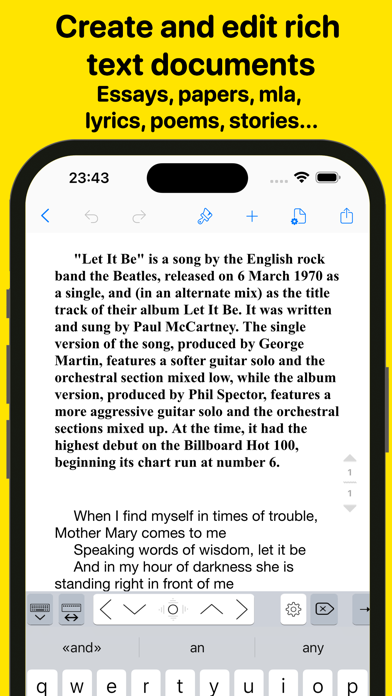
Wordpad+ is a Microsoft Word-compatible DOCX and PDF editor that helps you write, edit, read, highlight, and manage documents for school, college, work, and everyday life. Whether you're taking last-minute lecture notes, writing a story, preparing meeting minutes, working on an important essay, or organizing your thoughts, you can do it all in Wordpad+.
Whether you're a student, educator, writer, medical professional, journalist, scholar, or business professional, you can use Wordpad+ every day to create and edit notes, annotations, memos, signed PDFs, papers, highlighted PDF textbooks, and more.
Powerful document editor
- Create and edit Microsoft Word-compatible DOCX documents.
- Edit Microsoft RTF, plain-text, and Markdown files.
- Format your text with tables, lists, fonts, styles, and colors.
- Use templates to create professional resumes, reports, and other documents.
- Save your work automatically and access it across multiple devices.
PDF editing and annotation
- Highlight, sketch, add text boxes and pictures, and sign PDF documents.
- Write and sketch with seven ink tools: Marker, Pen, Pencil, Monoline, Fountain Pen, Watercolor, and Crayon.
- Fill out PDF forms.
- Sign documents directly on your device.
- Verify digital signatures to confirm their authenticity.
Write and format your way
- Keep writing wherever you are, including when you're offline or don't have your laptop.
- Customize margins, headers, and other layout options.
- Track statistics such as word and sentence counts.
- Proofread your work with text-to-speech.
- Dictate text for hands-free writing.
- Use Focus Mode to reduce distractions.
- Type in more than 30 languages.
Multiformat reader
- Read ePub and PDF files, view PowerPoint and Excel documents, play MP3 audio, and open many other formats.
- Import and export files through iCloud Drive, Google Drive, Dropbox, and other cloud services.
- Choose from dark, light, and sepia reading themes, adjust the font size, and use text-to-speech with ePub and PDF files.
- Work with large documents, including fillable forms, using the PDF engine.
- Annotate and highlight eBooks, or add text and images to them.
Organize and multitask
- Keep several documents open in the multitabbed interface and switch between them quickly.
- View documents side by side with multiple windows and multitasking.
- Keep all your notes, ideas, and project