Field Navigator: Tractor GPS

Field Navigator: Tractor GPS Summary
Field Navigator: Tractor GPS is a free, ad-supported, with in-app purchases iOS app in Productivity by Rento UAB. Released in Aug 2024 (2 years ago). It has 1K ratings with a 4.47★ (good) average. Based on AppGoblin estimates, it reaches roughly 3.1K monthly active users and generates around $<10K monthly revenue (44% IAP / 56% ads). Store last updated Sep 24, 2026
SDK intelligence: AppGoblin detected 4 development tools(e.g. Google), 1 ad networks, 1 analytics: product,and 1 business tools integrated into Field Navigator: Tractor GPS. View full SDK list →
Field Navigator: Tractor GPS SDKs Summary
Field Navigator: Tractor GPS was last scanned for SDKs on 2026-09-28. Below is the overview of third-party companies detected in the app. The full list of SDKs, permissions and unknowns is available here.
 Google
 Sentry.io
 nanopb
 Alamofire
 Firebase
 RevenueCat
4.47★
Ratings: 1K
Screenshots


App Description
Field Navigator: Precision Farming Made Easy
Field Navigator is the ultimate tool for modern farmers looking to enhance efficiency and accuracy in their field operations. Whether you’re managing large-scale agricultural fields or smaller plots, our app provides the precision and ease needed to navigate and optimize your work seamlessly.
Key Features:
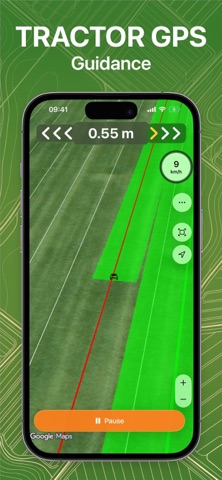
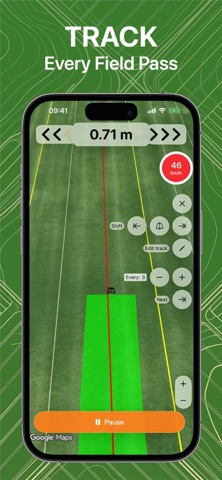
Precision Navigation: Utilize advanced GPS technology to create and follow accurate field lines. Ensure consistent row spacing and reduce overlaps, saving time and resources.
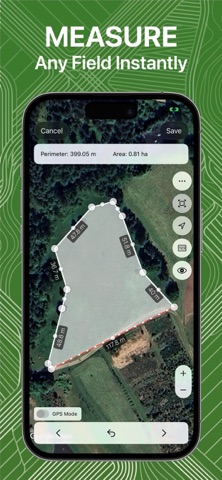
Create and Manage Fields: Easily create field boundaries and navigation lines. Our intuitive interface allows for quick setup and adjustments, making it simple to manage multiple fields.
Save and Use Field Lines: Save your field configurations and reuse them for future drives. This feature ensures consistent operations and minimizes setup time for recurring tasks.
Comprehensive Tracking Options: Choose from various navigation patterns, including straight lines, curves, and adaptive tracks, to match the unique layout of your fields.
Operator Efficiency: Reduce operator fatigue with automated steering assistance. Focus more on critical implement settings and field conditions while the app handles the navigation.
Data Integration: Seamlessly integrate with major farming equipment and store your navigation data securely. Back up your field lines and settings in the cloud for easy access and management.
Precision farming, GPS navigation, field management, farm optimization, agricultural technology, crop management, automated steering, farm productivity, field navigator.
How It Works:
Setup: Define your field boundaries and input the width of your equipment. The app generates precise navigation lines based on these parameters.
Navigate: Follow the on-screen guidance to ensure accurate field operations. The app supports various field shapes and sizes, adapting to your specific needs.
Save & Reuse: Save your field lines and configurations for future use. This feature is ideal for fields with recurring tasks, ensuring you always have the right setup at hand.
Benefits:
Enhanced Efficiency: Streamline your field operations and reduce input costs by avoiding overlaps and gaps. Achieve up to 14% higher productivity with precise navigation.
Extended Operating Windows: Work effectively in low-visibility conditions such as night, fog, or dust. Our