Bangkok Bank Mobile Banking

Bangkok Bank Mobile Banking Summary
Bangkok Bank Mobile Banking is a free iOS app in Finance by Bangkok Bank PCL. Released in Dec 2013 (12 years ago). It has 26K ratings with a 3.54★ (average) average. Based on AppGoblin estimates, it reaches roughly 285K monthly active users . Store last updated Sep 3, 2026
Recent activity: 1.00 new ratings this week View trends →
SDK intelligence: AppGoblin detected 5 development tools(e.g. Google), 3 analytics: product, 2 business tools, 1 ad networks,and 1 analytics: attribution integrated into Bangkok Bank Mobile Banking. View full SDK list →
Bangkok Bank Mobile Banking SDKs Summary
Bangkok Bank Mobile Banking was last scanned for SDKs on 2026-09-17. Below is the overview of third-party companies detected in the app. The full list of SDKs, permissions and unknowns is available here.
 Google
 New Relic
 nanopb
 Alamofire
 Facebook
 AppsFlyer
 Firebase
 Adobe
Adobe LexisNexis ThreatMetrix
 Line
Line WorldPay
3.54★
Ratings: 26K
Screenshots

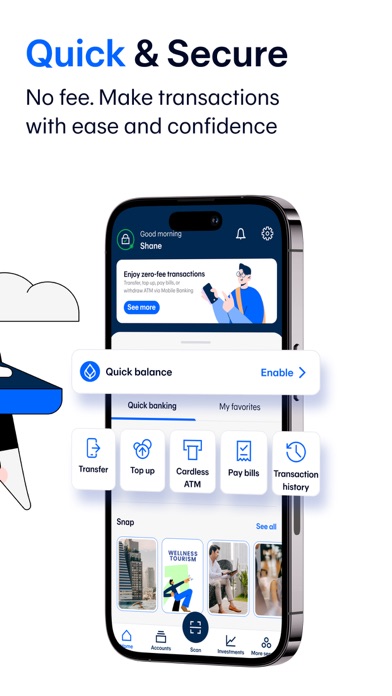

App Description
With the Bangkok Bank Mobile Banking app, your banking transactions are more convenient with these features:
• View all types of deposits, credit cards, mutual funds, government bonds and Bualuang loan accounts
• Request Thai baht and FCD account statements
• Open an e-Savings account
• Make cardless withdrawals at Bangkok Bank and KBank ATM and Banking Agents (7-Eleven, Thailand Post offices, Sabuy Counter and TermDee kiosk)
• Invest in mutual funds, government bonds and corporate debentures
• Make a Bualuang home loan payment and request the Bank to submit housing loan information to the Revenue Department for a convenient tax deduction claim
• Add a Foreign Currency Deposit Account (FCD) and transfer funds to your own FCD account
• Make an international funds transfer via SWIFT with 18 currencies for 135 countries
• Make an international funds transfer to Singapore via PromptPay International
• Send and receive money to or from more than 200 countries via Western Union
• Buy insurance and check my policies
• Check the balance of and top up your Rabbit LINE Pay and view BTS trip history
• Apply for and manage the following banking services:
- Request and activate a debit card
- Apply for a Bangkok Bank Credit Card – choose the card that fits your lifestyle then upload the relevant documents and check your approval status in the app
- Request to open a Securities Trading Account with Bualuang Securities
- Register for direct debit service
- Register/edit/deregister with PromptPay
- Suspend debit card/credit card
- Renew debit card
- Request a Bualuang Home Loan
- Request a Credit Bureau Report
- Lock and Unlock accounts to prevent transfers, top ups and payments
• QuickPay – scan to pay merchants without a mobile PIN
• Scan a QR Code for payment with a Widget
• Change your registered mobile number/email
How to apply:
For customers without a Bangkok Bank account
• Open an e-Savings account and apply for mobile banking services in the app
For customers with a Bangkok Bank account
• Download the application and apply with your Bangkok Bank deposit account, debit card or credit card.
• Visit any Bangkok Bank ATM or branch to get a temporary PIN to log in to the application.
For further assistance please call 1333 or (66) 0-2645-5555 or visit www.bangkokbank.com/mobilebanking
Head Office: 333 Silom Road, Silom, Ba