Breeze Thermometer

Breeze Thermometer Summary
Breeze Thermometer is a ad-supported iOS app in Weather by yoshihito sakagami. Released in Aug 2024 (1 year ago). Store metadata: updated Aug 26, 2024.
Store info: Last updated on App Store on Aug 26, 2024 .
0★
Ratings: 0
Screenshots
App Description
What would happen if an app that emits a gentle breeze from a speaker and a thermometer app were combined?
This app is the realisation of such a dream combination(?).
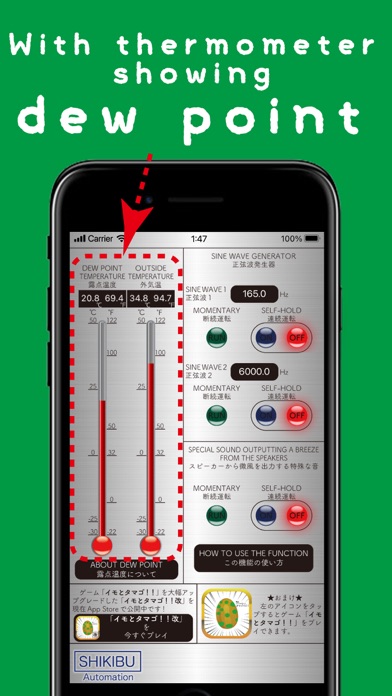
This app produces a gentle breeze from the speaker using special sound waves that can generate a breeze from the speaker, and because it has a thermometer attached, you can see the dew point temperature(outside) and the outside temperature.
The dew point temperature is the temperature at which a cold object (e.g. well-chilled soda) starts to sweat, a phenomenon also known as 'condensation'. If you know the dew point temperature, you can help prevent condensation, which is a contributing factor to iPhone malfunctions.
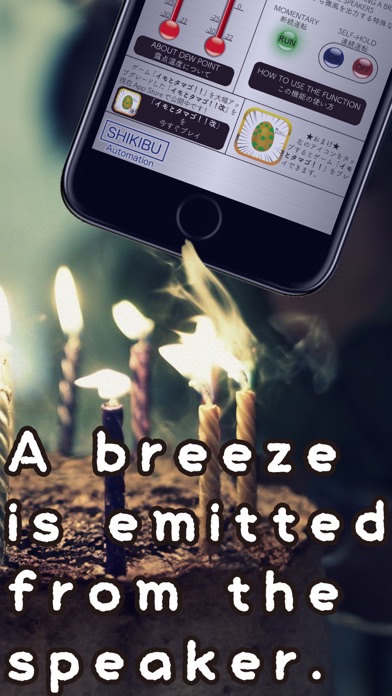
PS: The function to produce a weak breeze from the speaker is of no practical use, so we strongly suggest that you use it for joke purposes. On your birthday, use this function to extinguish the candles on your birthday cake (LOL).
+--------------------------------------+
-How to use.
・About 'SINE WAVE GENERATOR'
(1) Numeric input
When the app is launched for the first time, you can enter any frequency by tapping the area indicated as ‘TAP HERE’.
(2) MOMENTARY mode
Press the green round 'RUN' button to output sound waves, and release your finger from the button to stop the sound.
(3) SELF-HOLD mode
SELF-HOLD mode is operated with two buttons: the 'ON' button and the 'OFF' button. Pressing the blue round 'ON' button outputs sound waves, and sound waves continue to be output even when the finger is removed from the button. To stop the sound waves, press the red round 'OFF' button.
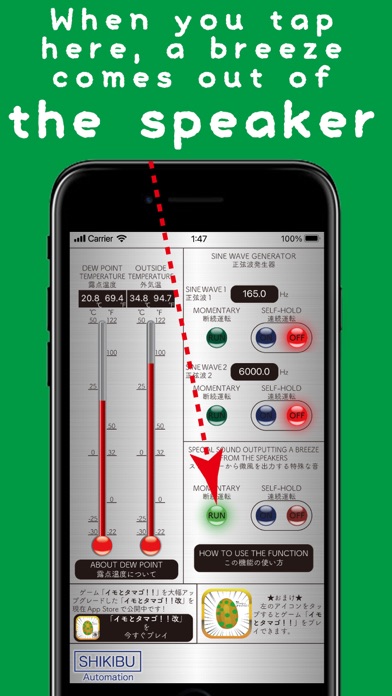
・About 'SPECIAL SOUND OUTPUTTING A BREEZE FROM THE SPEAKERS'
*1: Please take care not to disturb others as the noise can be rather noisy.
*2: This app only produces very weak wind, so it cannot be used as a replacement for a fan.. Please be aware of this beforehand.
(1) MOMENTARY mode
When the green round 'RUN' button is pressed, sound waves are output and the frequency gradually increases, reaching the maximum frequency in about 2 seconds. When the finger is released from the button, the frequency gradually decreases and the sound stops after about 2 seconds.
(2) SELF-HOLD mode
SELF-HOLD mode is operated with the "ON" and "OFF" buttons. When the blue round 'ON' button is pressed, the sound waves are output and the frequency gradually increases, reaching the maximum frequency in abo