Transcribe Speech to Text – AI

Transcribe Speech to Text – AI Summary
Transcribe Speech to Text – AI is a free, with in-app purchases iOS app in Productivity by Appgeneration Software. Released in Oct 2024 (2 years ago). It has 165 ratings with a 4.59★ (excellent) average. Based on AppGoblin estimates, it reaches roughly 436 monthly active users and generates around $<10K monthly revenue (100% IAP / 0% ads). Store last updated Sep 24, 2026
Recent activity: 1.00 new ratings this week View trends →
SDK intelligence: AppGoblin detected 9 ad networks(e.g. Google), 3 development tools, 1 analytics: product, 1 analytics: attribution,and 1 business tools integrated into Transcribe Speech to Text – AI. View full SDK list →
Transcribe Speech to Text – AI SDKs Summary
Transcribe Speech to Text – AI was last scanned for SDKs on 2026-07-02. Below is the overview of third-party companies detected in the app. The full list of SDKs, permissions and unknowns is available here.
 Google
 Facebook
 AppLovin
 Unity
Unity nanopb
 Alamofire
 Firebase
 Adjust
 RevenueCat
4.59★
Ratings: 165
Screenshots

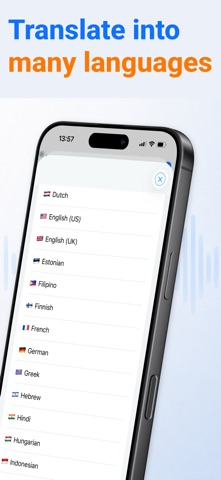
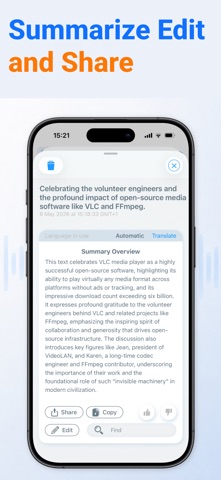


App Description
Turn speech, meetings, lectures, interviews, and voice notes into clear written text.
Record audio directly in the app or import an existing file, then convert it into a transcript you can read, review, search, and organize later.
It's made for the moments when you want to stay focused on the conversation, but still need a reliable way to remember the details afterwards.
Because trying to listen, think, respond, and take perfect notes at the same time is difficult. AI Transcribe gives you a simpler way to capture what was said, so you can come back to it when you need it.
USE AI TRANSCRIBE FOR WORK
Capture meeting notes, client calls, strategy sessions, project updates, sales conversations, and team discussions.
When a meeting ends, you don't have to rely on memory or scattered notes. You can review the transcript, find the important moments, and turn the conversation into something useful.
Great for:
Business meetings
Client calls
Consulting sessions
Sales conversations
Team updates
Planning sessions
Brainstorming
Follow-up notes
USEFUL FOR STUDENTS, LECTURES, AND LEARNING
Record lectures, seminars, tutorials, and study sessions, then turn them into written text you can revisit later.
Instead of missing half the explanation while trying to write everything down, you can focus on understanding the material and use the transcript when you're ready to review.
Great for:
Lectures
Classes
Seminars
Study groups
Online courses
Exam preparation
Research notes
USE AI TRANSCRIBE FOR INTERVIEWS AND RESEARCH
Whether you're conducting interviews, gathering feedback, speaking to customers, or recording research conversations, AI Transcribe helps you keep a written record of what people said.
Use your transcript to review answers, find quotes, compare responses, and organize insights after the conversation.
Great for:
User interviews
Research calls
Journalism
Hiring interviews
Customer feedback
Podcast planning
Content research
USE AI TRANSCRIBE FOR NOTES AND IDEAS
Some thoughts are easier to say out loud than type. AI Transcribe helps you capture ideas quickly, then turn them into text you can edit, save, and organize later.
Great for:
Voice memos
Creative ideas
Personal notes
To-do lists
Drafts
Reminders
Brainstorms
WHAT YOU CAN DO WITH AI TRANSCRIBE
Record audio in the app
Import existing audio files
Turn speech into text
Review transcripts when