Letterhead Maker: Letter Pad

Letterhead Maker: Letter Pad Summary
Letterhead Maker: Letter Pad is a free, ad-supported, with in-app purchases iOS app in Productivity by Muhammad Awais Younas. Released in Oct 2024 (1 year ago). It has 197 ratings with a 4.50★ (excellent) average. Based on AppGoblin estimates, it reaches roughly 636 monthly active users and generates around $<10K monthly revenue (57% IAP / 43% ads). Store last updated Sep 23, 2026
Letterhead Maker: Letter Pad SDKs Summary
App not yet scanned for SDKs.
4.5★
Ratings: 197
Screenshots



App Description
Design a professional letterhead on your iPhone in minutes. Pick a template, add your logo and business details, and export a print-ready PDF or a high-quality image. No design skills and no computer needed.
WHAT'S NEW
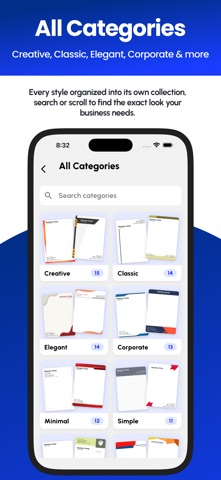
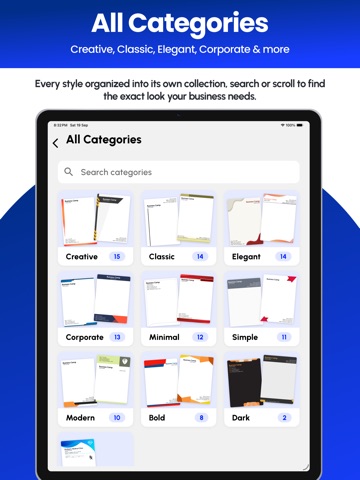
- Template categories: browse designs by style
- A growing library: new templates and categories arrive without an app update
- Auto-saved drafts: close the app any time and pick up exactly where you left off
- Re-edit after export: reopen a saved PDF or image, fix it and export again
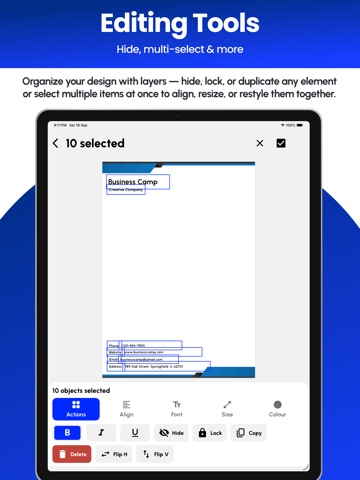
- Layers: hide, lock or duplicate any element
- Multi-select: align, resize or restyle several objects together
- Change the template background
- Nine-point alignment and sharper export quality for printing
100+ LETTERHEAD TEMPLATES
Professionally designed letterhead formats, sorted into categories: Creative, Classic, Elegant, Corporate, Minimal, Simple and more. New designs are added regularly.
Every template is fully editable. Change text, fonts, sizes, colors, images and backgrounds until it matches your brand.
A FULL DESIGN EDITOR, NOT A FORM
- Add and edit text with your choice of font, size and color
- Bold, italic and underline
- Add images and your company logo
- Resize any element to exactly the size you want
- Rotate to any angle, flip horizontally or vertically
- Adjust opacity to fade an element or layer it behind text
- Change the template background
- Nine position presets for precise placement
- Bring forward and send backward
- Copy, hide, lock or delete objects
- Edit several objects at once with multi-select
- Undo and redo
SAVED BUSINESS PROFILES
Enter your company name, logo, phone, email, website and address once, and every template fills itself in. Run more than one business or work for several clients? Save multiple profiles and switch between them in a tap.
EXPORT, SHARE AND PRINT
- Export as a print-ready PDF
- Export as a high-quality image
- Preview before you save
- Share by email, Messages, WhatsApp or any app
- Every export stays in your Saved list, ready to reopen and edit
HOW IT WORKS
1. Choose a template from any category
2. Add your business profile
3. Edit text, colors, images, background and layout
4. Preview, then export as a PDF or image
5. Share or print, and reopen any time to make changes
WORKS OFFLINE
No internet connection needed. Design, edit and export anywhere. Everything stays on your device.
MADE FO