Word Editor: Edit Office Word

Word Editor: Edit Office Word Summary
Word Editor: Edit Office Word is a free, with in-app purchases iOS app in Productivity by A1Apps. Released in Nov 2024 (1 year ago). It has 5.9K ratings with a 4.49★ (good) average. Based on AppGoblin estimates, it reaches roughly 18K monthly active users and generates around $<10K monthly revenue (100% IAP / 0% ads). Store last updated Oct 16, 2026
Recent activity: 6.00 new ratings this week View trends →
SDK intelligence: AppGoblin detected 7 development tools(e.g. Google), 3 ad networks, 2 analytics: attribution, 2 business tools,and 1 analytics: product integrated into Word Editor: Edit Office Word. View full SDK list →
Word Editor: Edit Office Word SDKs Summary
Word Editor: Edit Office Word was last scanned for SDKs on 2026-08-21. Below is the overview of third-party companies detected in the app. The full list of SDKs, permissions and unknowns is available here.
 Google
 Facebook
 AppLovin
 Airbnb Engineering
 nanopb
 Alamofire
 AppsFlyer
 AppMetrica
 Firebase
 Intercom
 Adapty
4.49★
Ratings: 5.9K
Screenshots


App Description
Word Editor - Edit all your Word Office related Documents in one place!
Word Editor supports a wide range of file types, including DOC, DOCX, XLS, PPT, and PDF making it an essential tool for handling all your documents on your IPHONE and IPAD Devices.
Key Features:
1. Edit & Format Word Documents with ease:
Quickly edit DOC and DOCX files with a full range of formatting tools at your fingertips. Adjust fonts, styles, colors, and text alignment to ensure your document looks polished and professional with AI.
2. Comprehensive Spreadsheet Management:
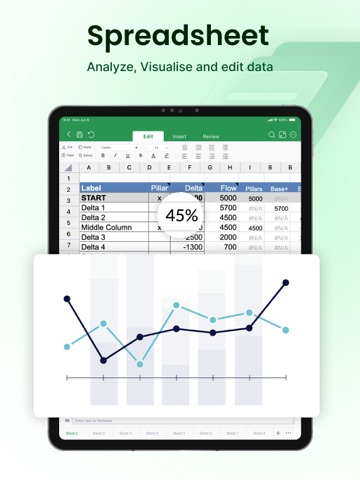
Easily create and edit XLS and XLSX files with intuitive spreadsheet tools. Organize data, perform calculations, and visualize information through built-in charts to stay on top of your tasks.
3. Power Up Presentations:
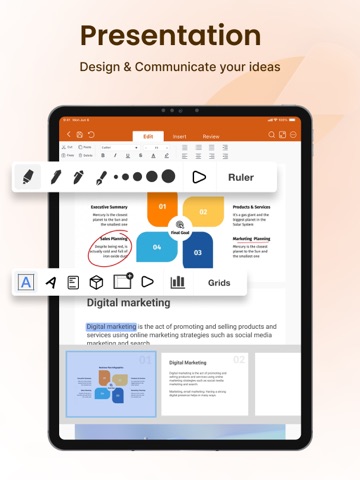
Word Editor supports PPT files, allowing you to create, edit, and customize presentations with ease. Add slides, arrange layouts, and make on-the-spot adjustments, all from the convenience of your mobile device.
4. Convert Files to PDF Easily:
Convert Docx, XLS & PPT files to PDF instantly. Save and share PDF files to anyone.
5. Versatile File Viewer:
Open and view a wide range of file formats without needing additional apps. Access PDFs, DOCX, XLS, and PPT files directly within Word Editor, providing a comprehensive solution for all your document needs.
6. Cloud Sync & Easy File Management:
Seamlessly connect with popular cloud storage services like Google Drive, Dropbox, and OneDrive to access your documents from any device. Word Editor keeps your files organized and accessible, wherever your work takes you.
7. Real-Time Collaboration & Sharing:
Collaborate on documents with colleagues, classmates, or friends by sharing files directly from the app. Whether it’s a quick edit or a final review, Word Editor supports efficient teamwork.
8. Customizable Viewing & Editing Modes:
Switch between light and dark themes, adjust text size, and select a comfortable editing mode that suits your reading and writing preferences.
9. Offline Access:
Word Editor ensures that you can access and work on your documents even without an internet connection. Simply download your files and enjoy editing on the go.
10. Free Trials and Flexible Subscriptions:-
Explore all premium features with a 3-day free trial, or 7 Day Trial and unlock powerful tools for editing your documents and files. Choose the plan tha