Swoogo: Go Attend

Swoogo: Go Attend Summary
Swoogo: Go Attend is a free iOS app in Business by Swoogo LLC. Released in Sep 2025 (1 year ago). It has 19 ratings with a 2.88★ (poor) average. Based on AppGoblin estimates, it reaches roughly 118 monthly active users . Store last updated Oct 19, 2026
SDK intelligence: AppGoblin detected 6 development tools(e.g. Google),and 1 analytics: product integrated into Swoogo: Go Attend. View full SDK list →
Swoogo: Go Attend SDKs Summary
Swoogo: Go Attend was last scanned for SDKs on 2026-07-19. Below is the overview of third-party companies detected in the app. The full list of SDKs, permissions and unknowns is available here.
 Google
 Facebook
 Sentry.io
 Expo
Expo Firebase
2.88★
Ratings: 19
Screenshots



App Description
Meet Go Attend – your ultimate event mobile sidekick!
Go Attend helps you make the most of your event experience with access to event information including agenda, sessions, speakers, and real-time updates.
Skip the time and stress of digging through endless reminder emails — every detail you need to navigate the event is right in your pocket.
With Go Attend, attendees can:
* View event essentials like date, time, and venue details
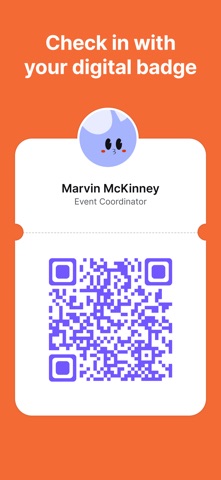
* Access a digital QR code to scan into your event
* Explore the full schedule of sessions, workshops, and speakers
* Access “My Agenda” for a personalized list of relevant sessions & activities
* Favorite sessions, speakers, sponsors, or fellow attendees to revisit later
* Explore sponsor profiles and content
* Find where each session is taking place with built-in navigation
* Always be on time to critical sessions with automatic reminders
* Keep up with any changes as you receive real-time updates & announcements
Getting set up is easy:
* Download the Go Attend app
* Search for the event you’re attending
* Enter the passcode provided by the organizer or sign-in via email link
* That’s it! Head to the event feeling prepped