Jupyter Notebook - JuNote

Jupyter Notebook - JuNote Summary
Jupyter Notebook - JuNote is a free, with in-app purchases iOS app in Developer Tools by FREE AI UTILS COMPANY LIMITED. Released in Mar 2025 (1 year ago). It has 209 ratings with a 4.55★ (excellent) average. Based on AppGoblin estimates, it reaches roughly 666 monthly active users and generates around $<10K monthly revenue (100% IAP / 0% ads). Store last updated Apr 16, 2026
Jupyter Notebook - JuNote SDKs Summary
App not yet scanned for SDKs.
4.55★
Ratings: 209
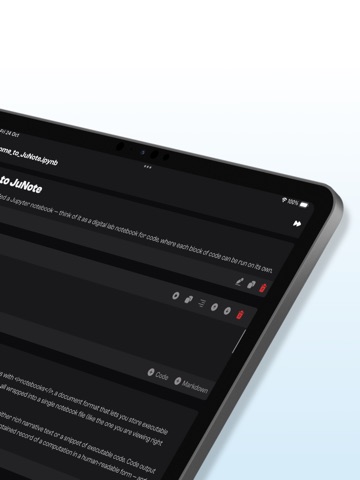
Screenshots



App Description
Jupyter Notebook - JuNote
A zero-setup Python environment & developer toolbox for mobile devices, designed for data analysis, machine learning, and software development.
---
Key Features:
File & Code Management
- Browse and manage files & folders, with quick document and media previews.
- Syntax highlighting for scripts, JSON, XML, and other text-based formats.
- Access external file system locations or open documents in place.
Jupyter Notebook & Google Colab Support
- Run Jupyter notebooks and Google Colab locally on your device.
- Full notebook editing experience with interactive execution and live outputs.
- Supports Python for data science & machine learning: NumPy, Matplotlib, SciPy, Scikit-learn, Pandas, LXML, etc.
AI-Powered Bug Fixing
- Automatically detects and suggests fixes for Python errors.
- Provides AI-powered explanations to help users understand and resolve issues.
- Enhances debugging efficiency, making Python coding smoother and faster.
Developer Experience
- Intelligent code completion with fast execution.
- Versatile text editor with syntax highlighting for multiple formats.
- Effortless package management – No installations needed, just import and use.
---
Who is JuNote for?
- Python developers & students who need an on-the-go coding environment.
- Data scientists & researchers working with Jupyter notebooks.
- Developers looking for an AI-assisted Python IDE to debug and enhance their code efficiently.
---
This AI-powered feature makes JuNote a next-gen Python Notebook IDE for mobile devices.
SUBSCRIPTION:
We offer auto-renewing subscription:
- Length: Yearly
- Payment will be charged to iTunes Account at confirmation of purchase
- You will be able to access the Premium features of the app for the duration of the subscription
- Subscription automatically renews for the same price and duration period as the original period unless auto-renew is turned off at least 24-hours before the end of the current period
- The account will be charged for renewal within 24-hours prior to the end of the current period at the cost of the chosen package.
- Subscriptions may be managed by the user and auto-renewal may be turned off by going to the user's iTunes Account Settings after purchase
- No cancellation of the current subscription is allowed during the active subscription period
- You may cancel a subscription during its free trial per