Crazy Bricks Destroyer

Crazy Bricks Destroyer Summary
Crazy Bricks Destroyer is a free, ad-supported, with in-app purchases iOS app in Casual by 阳 李. Released in Apr 2025 (1 year ago). It has 1.6K ratings with a 4.23★ (good) average. Based on AppGoblin estimates, it reaches roughly 376 monthly active users and generates around $<10K monthly revenue (24% IAP / 76% ads). Store last updated Nov 11, 2025
SDK intelligence: AppGoblin detected 16 ad networks(e.g. Google), 5 development tools, 2 analytics: attribution,and 1 analytics: product integrated into Crazy Bricks Destroyer. View full SDK list →
Crazy Bricks Destroyer SDKs Summary
Crazy Bricks Destroyer was last scanned for SDKs on 2026-08-25. Below is the overview of third-party companies detected in the app. The full list of SDKs, permissions and unknowns is available here.
 Google
 Facebook
 AppLovin
 Unity
Unity Yandex
 nanopb
 AppsFlyer
 AppMetrica
 Firebase
4.23★
Ratings: 1.6K
Screenshots


App Description
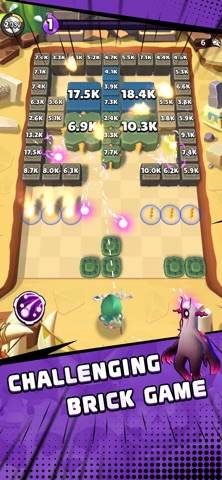
An exhilarating 3D roguelike cube-breaking game! With hundreds of skills to mix and match and dozens of unique cubes, every round offers a fresh experience. Conquer hundreds of levels to test your skills and dive into endless gameplay modes that will keep you hooked. Get ready for limitless combinations and non-stop cube-smashing fun!
Apple Subscription service
Payment will be charged to your iTunes account at confirmation of purchase.
Your subscription automatically renews unless auto-renewal is turned off at least 24-hours before the end of the current period.
Your account will be charged for renewal within 24-hours prior to the end of the current period.
Subscriptions may be managed by the user, and auto-renewal may be turned off by going to the user’s Account Settings after purchase.
to cancel your subscription, go to Settings-iTunes and App Store-View Apple ID to go to your account subscription Settings and manage or cancel your subscriptions.
- Terms of Use : https://newgamebxb.wordpress.com/2022/08/18/terms-of-service/
- Privacy Policy : https://newgamebxb.wordpress.com/2022/05/06/privacy-policy/