Pody Plastic Surgery Simulator

Pody Plastic Surgery Simulator Summary
Pody Plastic Surgery Simulator is a free, with in-app purchases iOS app in Photo And Video by MEHMET KEREM YENER. Released in Jan 2025 (1 year ago). It has 99 ratings with a 4.35★ (good) average. Based on AppGoblin estimates, it reaches roughly 94 monthly active users and generates around $<10K monthly revenue (100% IAP / 0% ads). Store last updated Mar 18, 2026
Pody Plastic Surgery Simulator SDKs Summary
App not yet scanned for SDKs.
4.35★
Ratings: 99
Screenshots


App Description
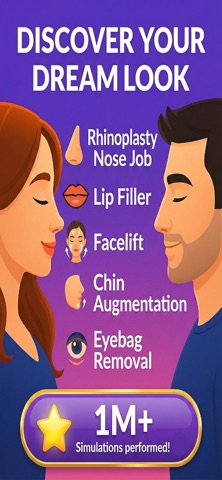
Over 1 million plastic surgery simulations performed!
Experience your potential cosmetic transformations like never before. Plastic Surgery Simulator AI allows you to upload a photo, select from a range of plastic surgery procedures, and visualize how you might look with AI-simulated enhancements — instantly.
Whether you are exploring lip filler, rhinoplasty, or botox, or simply curious about how facial enhancements might look, this app gives you a fast, private, and realistic simulation experience.
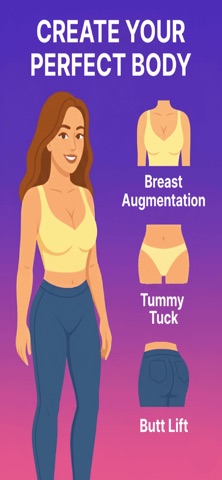
Now supporting body plastic surgeries too — including breast, belly, and butt procedures. Preview a Brazilian butt lift (BBL), tummy tuck, six-pack etching, or breast lift instantly.
WHAT YOU CAN SIMULATE
• Lip filler, lip lift, lip reduction
• Nose job (rhinoplasty), nose filler, nose tip lift
• Chin augmentation - Jawline filler, cheek filler, face lift
• Botox simulation and dermal fillers
• Skin tightening
• Eye bag removal (blepharoplasty)
• Breast augmentation, breast lift, breast reduction
• Liposuction, tummy tuck, six-pack etching
• Butt augmentation, butt lift, butt reduction
• Brazilian butt lift (BBL)
From subtle tweaks to dramatic changes, the app helps you preview your future appearance using the power of artificial intelligence.
FEATURES
• Personalized simulations – Choose cosmetic procedures for lips, nose, face, eyes, body or skin and see instant results
• Before and after comparison – Compare your original photo with your simulated result side by side
• Easy-to-use interface – Upload a photo, select your options, and generate realistic AI results in seconds
• Save and share – Download your simulations or share them privately
• Usage flexibility – Enjoy one free simulation and earn extra credits if a technical issue occurs
• Secure sign-in – Log in with Google or email to keep your simulations backed up
HOW IT WORKS
1. Upload or take a photo of your face or body
2. Select from a wide range of cosmetic surgery procedures
3. Receive an instant AI-powered simulation
4. Compare, save, or share your results
This tool is designed for anyone interested in cosmetic procedures — whether for research, entertainment, or self-exploration. You can preview lip fillers before booking an appointment, visualize rhinoplasty results, or try cheek filler and chin reshaping ideas, all from your phone.
You can