PDF Signer - Sign PDFs Offline

PDF Signer - Sign PDFs Offline Summary
PDF Signer - Sign PDFs Offline is a free, with in-app purchases iOS app in Productivity by Binaryscript Private Limited. Released in Feb 2025 (1 year ago). Store last updated Apr 20, 2025
PDF Signer - Sign PDFs Offline SDKs Summary
App not yet scanned for SDKs.
0★
Ratings: 0
Screenshots


App Description
Say goodbye to printing, signing, scanning, and faxing documents! PDF Signer is your all-in-one digital solution for signing and managing PDFs on the go. With our intuitive interface and advanced features, you can quickly add your handwritten signature, adjust its size and position, and easily save or share your signed PDFs.
Subscription Options:
• Monthly Plan ($9.99/month, automatically renews)
- Unlimited signed PDFs
- Multiple signatures per page
- Priority support
- All premium features
• Annual Plan ($69.99/year, automatically renews)
- All Monthly Plan features
- Save 42% compared to monthly plan
- Priority email support
- Best value option
Key Features:
• Easy PDF Signing:
- Open any PDF and add your unique signature with a simple tap.
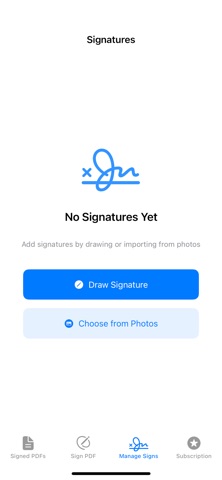
- Use our intuitive drawing tools to create a signature directly on your device or import an existing one from your photos.
• Precision Editing:
- Drag, resize, and rotate your signature with real-time preview.
- Our robust signature placement engine ensures your signature appears exactly where you intend it to be.
• Manage Your Signatures:
- Save multiple signatures and easily select the one you need for each document.
- Organize and edit your saved signatures in one convenient place.
• Seamless PDF Conversion:
- Automatically convert PDF pages to images for on‑screen editing.
- Preserve the document’s original quality and formatting when saving the final signed PDF.
• Share Instantly:
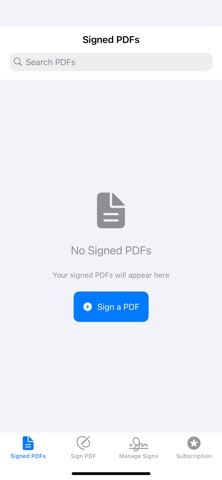
- Save signed PDFs directly to your device and share via email, cloud services, or social media.
- Securely store your signed documents and keep track of your signing history.
Why Choose PDF Signer?
PDF Signer is designed for professionals, students, and anyone who needs to sign documents quickly and securely. Our app leverages the latest Apple technologies like SwiftUI, PDFKit, and PencilKit to provide a smooth, efficient, and accurate signing experience—all without the hassle of paper.
How it Works:
1. Select Your Document: Choose a PDF from your device or cloud storage.
2. Place Your Signature: Tap the desired location and adjust your signature’s size and orientation with intuitive drag-and-drop gestures.
3. Save & Share: Once satisfied, save your signed PDF and share it immediately with colleagues, clients, or family.
Subsc